
To check if ChatGPT recommends your business, ask it the same questions your customers ask, such as “best plumber in Dallas,” in a logged out or temporary chat. Repeat each prompt a few times, test Gemini, Perplexity and Google AI Overviews too, and record whether you appear, how you are described and which sources get cited.
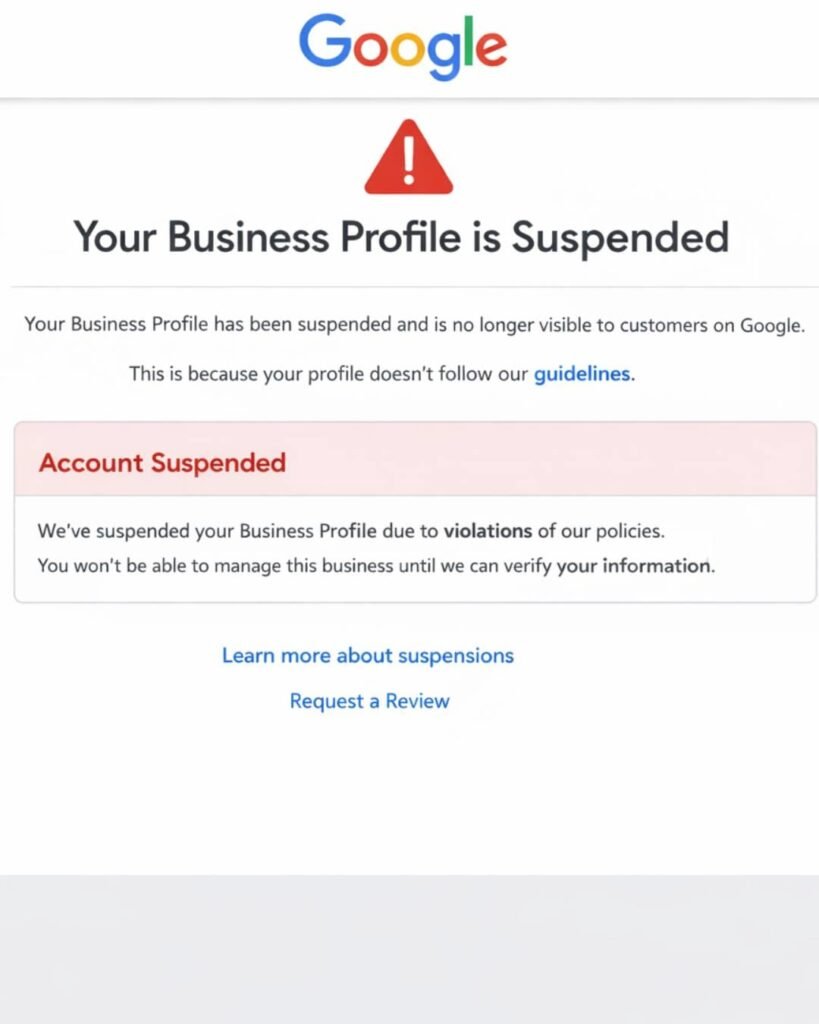
If your Google Business Profile is suspended, Google has found something it believes breaks its guidelines. Common causes are keywords in the business name, an ineligible address, or duplicate profiles. Fix the cause first. Then submit one appeal through the official appeals tool with documents showing your business name and address.
Opening your dashboard and finding your listing suspended is stressful. Your calls dry up, your reviews disappear from Maps, and Google rarely explains in plain terms what went wrong. The good news is that most suspensions follow clear patterns, and many legitimate businesses get reinstated when they approach the appeal carefully.
This guide explains what a suspension means, the most common triggers, how to diagnose your specific case, and how to appeal without making things worse.
A suspension means Google has restricted your profile because it believes the listing does not follow its guidelines. Depending on the type, your profile may vanish from Search and Maps entirely, or it may stay visible while you lose the ability to manage it.
Google states that it may suspend or disable Business Profiles that don’t follow its guidelines, and that owners who believe the profile should be reinstated can submit an appeal.
You will often see two informal terms used by local SEO professionals. These are industry labels, not official Google categories, but they help describe what you are seeing:
| Type | What you see | What it usually means |
|---|---|---|
| Soft suspension | Profile still shows publicly, but you lose management access or the verified badge | Google questions the ownership or a recent edit |
| Hard suspension | Profile disappears from Maps and Search, reviews included | Google questions whether the business is eligible at all |
| Account restriction | Every profile under your Google account is affected | The problem sits with the account, not one listing |
The account level case matters because the fix starts in a different place. According to Google, when an account is restricted, the Business Profiles it manages are suspended and the owner cannot create or claim other profiles. The restriction must be appealed from the My accounts page first, and only after that is lifted can the profile suspension be appealed.
Most suspensions come from a mismatch between what the profile claims and what Google can verify about the real business. Here are the triggers we see most often when auditing local listings.
This is the classic one. A profile named “Smith Plumbing Best Emergency Plumber Baltimore” when the sign says “Smith Plumbing.” Google’s guidelines say including unnecessary information in your business name isn’t permitted and could result in the suspension of your Business Profile. That includes taglines, service descriptions, locations, and phone numbers.
Google is strict about where a business physically operates. Its guidelines say P.O. boxes or mailboxes at remote locations aren’t acceptable, and a rented mailing address the business doesn’t operate from, known as a virtual office, isn’t eligible for a Business Profile. Coworking spaces also carry conditions: an office there can only be listed if it has clear signage, receives customers during business hours, and is staffed by the business’s own team during those hours.
Plumbers, cleaners, mobile mechanics, and other businesses that travel to customers often trip this wire. Google says a service area business should hide its address from customers, giving the example of a plumber working from a residential address who should clear that address from the profile.
Creating a second listing for the same location, or a new one after the first was suspended, is a red flag. Google’s rule is that businesses should not create more than one page for each location, either in a single account or across multiple accounts.
Changing your name, category, address, phone, and website in the same week can look like a takeover or a rebrand into a different business. Practitioners regularly report suspensions after too many edits made to a profile in a short period of time.
Google requires that the phone number be under the direct control of the business, and that phone numbers or URLs not redirect users to landing pages or numbers other than the actual business’s. Lead generation tracking numbers and redirect domains can cause trouble here.
Some setups simply cannot have a profile. For example, sales associates or lead generation agents for corporations aren’t individual practitioners and aren’t eligible for a Business Profile. Online only businesses with no in person contact also fall outside the guidelines, since Google requires a location customers visit or a business that travels to customers.
Start with the official appeals tool, because it shows the profile, the reason Google flagged it, and a link to the policy involved. Google’s help page confirms the appeals tool displays the restricted profile, the reason for the moderation action, and a link to the violated policy.
Then work through this quick diagnosis:
A practical example: a mobile pet groomer we reviewed had “Mobile Dog Grooming Rockville” in the business name and a home address visible on Maps. Two violations, one profile. Fixing only the name and appealing would likely fail, because the address problem would still be there.
Fix every problem first, gather matching documents, then submit one appeal through the Google Business Profile appeals tool. Order matters. An appeal submitted while the profile still breaks a rule usually gets denied.
Remove keywords from the name, hide a residential address and set a service area, remove duplicate listings, or correct your phone and website. Take dated screenshots of the corrected profile.
This is where many owners lose their chance. Google warns that once the evidence form is opened, it must be submitted within 60 minutes or it won’t be attached to the appeal.
Google lists these as evidence that can help: official business registration, a business license, tax certificates, and utility bills for the business such as electricity, phone, water, or internet. It also advises that the business name and address on every document should match the profile being appealed.
Many professionals also add photos of permanent signage, the storefront, or branded vehicles. Those visuals help prove the business is real and operating where it says it is.
Open the appeals tool while signed in to the account that owns the profile, select the listing, submit the appeal, and attach your evidence when prompted.
Google is direct about this: do not create a new Business Profile for the same business while your appeal is under review. A replacement listing can look like an attempt to dodge enforcement.
Inside the tool, the appeal status will show as Submitted, Approved, Not Approved, Can’t be appealed, or Eligible for appeal.
Google currently indicates most appeals receive a decision within about five business days. Google says appeal reviews and decisions can take up to five business days. More complex cases can take longer, and timelines can shift, so treat this as a guide rather than a promise.
You may still have one more path: an additional review where you can submit new evidence. Google notes that only if a reinstatement request is denied, it may be able to do an additional review, and owners can provide evidence that wasn’t included with the original appeal. Before you use it, ask honestly why the first one failed. In our experience, the usual reasons are:
If the business is genuinely ineligible, no appeal will work. At that point the smarter move is restructuring how the business presents itself, for example converting to a properly set up service area profile.
| Mistake | Why it hurts |
|---|---|
| Appealing before fixing anything | Google reviews the profile as it stands today |
| Filing several appeals for the same issue | Creates noise and can slow the review |
| Building a brand new profile | Violates the one profile per location rule |
| Changing everything at once to “clean up” | Can look like the profile is being repurposed |
| Uploading mismatched documents | Undercuts the exact thing the appeal needs to prove |
| Buying fake reviews to recover lost visibility | Breaks separate content policies and adds risk |
The best protection is a profile that mirrors your real business exactly and changes slowly. A few habits go a long way:
Reinstated profiles tend to get closer scrutiny for a while, so the months after an appeal are the time to be especially careful.
Consider outside help when the cause is unclear, when multiple profiles or an entire account are affected, or when your first appeal was denied. A specialist can audit the listing against the guidelines, spot violations you may have missed, and organize evidence so it matches the cited policy. No one can guarantee reinstatement, and you should be cautious of anyone who does, since the final decision always belongs to Google.
Google usually acts automatically when its systems detect a possible guideline violation, so there is rarely advance notice. Common triggers include keywords in the business name, a virtual office address, duplicate listings, or many edits in a short time. Check the appeals tool to see the specific policy cited.
Yes. Your website, social profiles, referrals, email list, and other directories such as Bing Places and Apple Business Connect keep working. Paid search can also help cover the gap. These channels are worth building anyway, since relying on one listing for all your leads is risky.
No. Google specifically asks owners not to create a new profile for the same business while an appeal is under review. A replacement listing can be treated as a duplicate, which may make reinstatement harder and could lead to further action against your account.
Google lists official business registration, a business license, tax certificates, and utility bills such as electricity, phone, water, or internet. The name and address on each document should match your profile. Photos of permanent signage or branded vehicles can also support your case.
Plan on one well prepared appeal. If it is denied, Google may allow an additional review where you can include new evidence. Submitting repeated appeals for the same issue does not speed things up and can make the case messier to review.
During a hard suspension, your reviews are hidden along with the profile. When a profile is reinstated, reviews generally return with it. That is one reason appealing the original profile is better than starting over with a new one.
Yes, if it serves customers in person. A business that travels to customers should hide its home address and set a service area. A home business that welcomes customers on site can show the address if it meets Google’s requirements for signage and staffed hours.
It can. Edits made by anyone with access count toward your profile’s history, including keyword heavy name changes or bulk updates. Review who manages your listing, remove access you no longer need, and ask any provider to follow Google’s guidelines closely.
A suspended Google Business Profile feels like a crisis, but it is usually a solvable one. Find the exact policy Google cited, fix every issue behind it, prepare documents that match your profile, and submit one clean appeal. Then protect the listing with steady, accurate management so it never happens again.
If you would rather have someone look at your listing with fresh eyes, the team at Optimistx Tech Lab reviews Google Business Profiles as part of our local SEO work. Reach out to us for a free audit and we’ll help you understand where your profile stands.