
Quick Answer: Schema markup is code you add to a web page that tells search engines exactly what the content means, such as your business name, address, hours, reviews or prices. It uses the Schema.org vocabulary and helps Google show rich results and helps AI tools understand your business. It is not a direct ranking factor, but it improves how you appear.
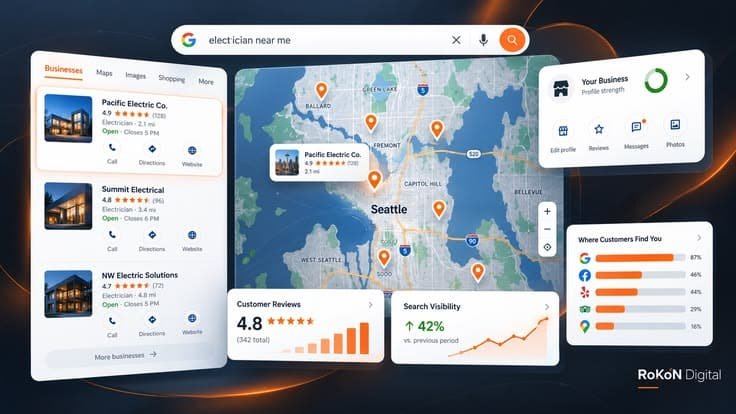
If your business is not showing on Google Maps, the cause is usually one of three things: the profile is not verified or is suspended, Google sees it as a poor match for the search (wrong category, thin details), or competitors closer to the searcher have stronger reviews and web presence. Diagnose which one applies before changing anything.
You type your business name into Google Maps and nothing comes up. Or it shows when you search your exact name, but disappears the moment you search “plumber near me” or “daycare in [your city].” Meanwhile, a competitor two streets away sits comfortably in the top three.
This is one of the most frustrating problems a local business owner can face, because Google Maps is often where buying decisions happen. Someone needs a service, opens Maps, taps a result, and calls. If you are not there, that call goes elsewhere.
The good news is that “not showing” is rarely random. It almost always traces back to a specific, identifiable cause. This guide walks through the 12 reasons we see most often when auditing local businesses, how to tell which one is affecting you, and what to do next.
Before fixing anything, identify which of these three situations you are in. Each points to a completely different cause.
| Situation | What it usually means | Where to look first |
|---|---|---|
| Your business does not appear even when you search its exact name | Profile is missing, unverified, suspended, or a duplicate is confusing Google | Your Google Business Profile dashboard |
| It appears for your name but not for service searches like “roofer near me” | Relevance or prominence problem | Categories, profile details, reviews, website |
| It appears in some neighborhoods but not others | Distance and competition | Rank tracking across a map grid |
Most owners skip this step and start editing their profile at random. That often creates new problems, since some edits trigger a fresh review by Google.
Google ranks local results using three main factors: relevance, distance, and prominence. Relevance is how well your profile matches the search. Distance is how far you are from the searcher or the location in the query. Prominence is how well known and trusted your business appears online and offline.
Google confirms this directly in its Business Profile Help Center. Local results are based primarily on relevance, distance, and prominence, and Google notes that review count and review score factor into local search ranking. It also states that your position in web results is also a factor, so SEO best practices apply. How to improve your local ranking on Google +2
That last point surprises many owners. Your website and your Maps visibility are connected. A weak website can hold back a strong profile.
An unverified Google Business Profile typically will not appear publicly on Maps. Verification proves to Google that you are the legitimate owner and that the business actually exists at the location or service area you claim.
How to check: Log into your Business Profile. If you see a prompt to verify, or a status like “pending,” this is your answer. Verification methods vary by business and can include video verification, phone, email, or postcard. Complete whatever method Google offers and avoid creating a second profile while you wait.
A suspended profile disappears from Maps, sometimes without much warning. Common triggers include keyword stuffing in the business name, using a virtual office or PO box as an address, or sudden large edits.
How to check: Your dashboard will usually show a suspension notice. If that is your situation, read our guide on why Google Business Profiles get suspended and how to get them back before submitting an appeal.
Service area businesses that hide their address can still rank, but they rank around their service area rather than a pin. Problems start when the setup is inconsistent, such as a hidden address combined with a service area set hundreds of miles away, or a home address shown publicly for a business that never receives customers there.
Google’s guidelines expect businesses that do not serve customers at their location to hide the address and list service areas instead. Getting this right matters more than most people realize.
Your primary category is one of the strongest relevance signals in your entire profile. If a pest control company lists “Pest Control Service” as secondary and “Contractor” as primary, Google may not show it for pest searches.
Practical example: A day spa that chose “Beauty Salon” as its primary category may struggle for “massage near me” searches. Switching the primary category to the one that matches your main revenue service often makes a visible difference.
Writing “Smith Plumbing Best Emergency Plumber Houston” when the real name is “Smith Plumbing” violates Google’s guidelines. It can work briefly, but it is a common reason profiles get suspended or edited by Google. Use your real world business name exactly as it appears on your signage and paperwork.
Duplicates split your reviews, confuse Google about which listing is real, and can cause both to rank poorly. They often appear after a move, a rebrand, or when a former employee or old agency created a second profile.
How to check: Search your business name and phone number on Google Maps. If you find more than one listing, request removal or a merge through Google rather than leaving both live.
Thin profiles lose to complete ones. Missing hours, no services listed, no description, no photos, and no website link all reduce how confidently Google can match you to searches.
A complete profile typically includes:
Since Google openly lists review count and rating as ranking inputs, a business with 6 reviews competing against neighbors with 150 is at a real disadvantage. Recency matters too in practice. A profile whose last review was two years ago looks less active than one with steady new feedback.
The fix is not buying reviews, which violates Google’s policies and can trigger removal. It is building a simple habit of asking every satisfied customer, ideally with a direct review link sent by text right after the job.
NAP consistency means your business name, address, and phone number match everywhere they appear online. That includes your website, Yelp, Facebook, Apple Maps, Bing Places, the Better Business Bureau, and industry directories.
If your old address still lives on a dozen directories, Google receives mixed signals about where you actually are. Cleaning these up is tedious but valuable, especially after a move.
Remember that Google ties local rankings partly to web results. If your website has no page clearly describing your services and location, loads slowly on phones, or is not properly indexed, your Maps visibility suffers too.
A quick test: search site:yourdomain.com on Google. If few or no pages appear, you may have an indexing problem worth investigating before anything else.
This one is not a mistake on your part. If someone searches “coffee shop” while standing next to five other cafes, a shop three miles away will rarely win, no matter how good its profile is.
What you can control: strengthening relevance and prominence so you win the searches in areas where you are reasonably close, and building service pages on your website that target the specific neighborhoods and towns you serve.
Changing your name, address, category, or phone number can send your profile back into review. During that window, visibility may drop. This is why making many changes at once is risky. Make the most important change, wait for it to settle, then move to the next.
Searching from your own phone does not give you an accurate picture, because Google personalizes results based on your location. Even incognito mode still uses your location.
Better methods:
A grid tracker is especially useful because it shows exactly where your visibility drops off, which tells you whether you have a distance problem or a profile problem.
It depends on the cause. A newly verified profile can appear relatively quickly once verification completes. Edits under review may take several days or longer. Suspension appeals vary widely and are not guaranteed to succeed. Ranking improvements from reviews, categories, and website work usually build gradually over weeks and months rather than overnight.
Be cautious of anyone promising guaranteed top three placement on Maps. Nobody outside Google controls the algorithm, and distance alone means no business ranks first everywhere.
Many of these fixes are manageable on your own, especially verification, category changes, and asking for reviews. It makes sense to bring in a local SEO specialist when:
This usually means Google knows your profile exists but does not see it as the strongest match for service searches. The most common causes are a weak primary category, missing services, few reviews, or a website that does not clearly describe what you do and where you do it.
Yes. A home based business can appear on Google Maps as a service area business. If customers do not visit your home, Google’s guidelines expect you to hide the address and list the areas you serve instead. You will then rank around those service areas rather than as a visible pin.
Regular posts keep your profile active and give customers useful updates, but Google does not list posts among its main ranking factors. Treat posts as a way to improve engagement and conversions, while focusing ranking efforts on categories, reviews, complete information, and your website.
There is no fixed number. What matters is how you compare with competitors in your area for the same search. If nearby businesses average 80 reviews, having 10 puts you at a disadvantage. Aim for steady, genuine reviews over time rather than a one time push.
Sudden disappearance usually points to a suspension, a recent edit placed under review, a duplicate listing, or a change in Google’s algorithm. Check your Business Profile dashboard first for notices. If nothing appears there, compare rankings from several locations before assuming the listing is gone.
Yes. Google states that a business’s position in web results is a factor in local ranking. A website with clear service pages, accurate contact details matching your profile, fast mobile performance, and proper indexing supports stronger Maps visibility.
Generally no. Virtual offices and mailbox services that are not staffed during business hours often violate Google’s guidelines and are a common cause of suspension. Use a real location where you or your staff operate, or set up as a service area business.
No. Creating a new profile usually produces a duplicate, which can hurt both listings and may trigger suspension. Diagnose and fix the existing profile instead, or contact Google support if you have lost access to it.
When your business is not showing on Google Maps, it can feel like Google has forgotten you exist. In reality, the cause is usually something specific: an unverified or suspended profile, a category that does not match your main service, a thin profile, too few reviews, mismatched listings, or a website that is not pulling its weight.
Work through the checks in this guide one at a time, starting with the dashboard and ending with your website and reviews. Small, deliberate fixes tend to outperform big rushed changes.
If you would like a second set of eyes, the team at Optimistx Tech Lab is happy to take a look. You can request a free audit and we will help you understand exactly where your local visibility stands and what is holding it back.