Categories
Local Seo Tips

Website Traffic Dropped Suddenly? How to Find the Real Cause Before You Panic

Growth Strategies for Digital Businesses

Recent Blog

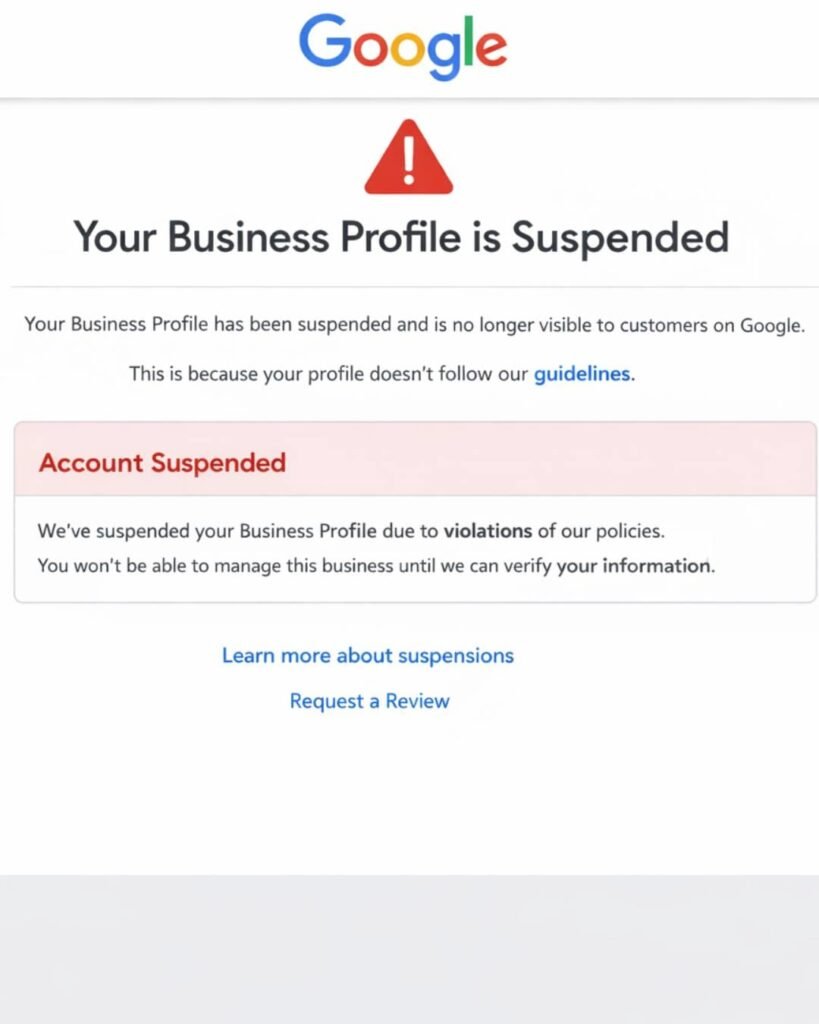
Google Business Profile Suspended? Why It Happens and How to Get It Back

If your Google Business Profile is suspended, Google has found something it believes breaks its guidelines. Common causes are keywords in the business name, an ineligible address, or duplicate profiles. Fix the cause first. Then submit one appeal through the official appeals tool with documents showing your business name and address.

How to Find the Real Cause Before You Panic

Quick Answer: If your website traffic dropped suddenly, first confirm the drop is real by comparing Google Analytics with Google Search Console. Then check the date against Google’s Search Status Dashboard, review Search Console for indexing, manual action and security alerts, and look at which pages and queries lost clicks. The shape of the drop usually points to the cause.

You open your analytics on Monday morning and the line that used to climb now looks like a cliff. It is a stressful moment, especially when your phone calls and form leads depend on that traffic.

Here is the reassuring part. Google itself notes that traffic drops happen for many reasons and most of them can be reversed. The key is finding the actual cause before you start changing things. Rewriting pages or deleting content in a panic can turn a temporary dip into a lasting problem.

This guide walks you through the same order of checks we use in our technical audits, so you can separate a tracking glitch from a real ranking loss in about an hour.

What Counts as a Sudden Traffic Drop?

A sudden traffic drop is a sharp decline in visits, usually 20% or more, that appears within days rather than gradually over months.

Small weekly swings are normal. Holidays, weather, news cycles and paydays all move traffic. A drop deserves investigation when it is large, lasts more than a week, or hits your most important pages, such as service pages or top blog posts.

It also helps to know which kind of traffic fell:

Traffic TypeWhere It Comes FromWhere to Check
Organic searchGoogle, Bing and other unpaid resultsGoogle Search Console, Bing Webmaster Tools
DirectTyped URLs, bookmarks, untracked appsGoogle Analytics 4 (GA4)
ReferralLinks from other websitesGA4 traffic acquisition report
PaidGoogle Ads, Meta AdsAd platform dashboards
SocialFacebook, Instagram, LinkedInGA4 and native social insights
AI referralsChatGPT, Perplexity, GeminiGA4 referral sources

If only one channel fell, your investigation just got much smaller.

Is the Drop Real or Just a Tracking Problem?

Start here, because a surprising number of “traffic drops” are actually broken tracking, not lost visitors.

Compare GA4 with Google Search Console for the same dates. Search Console measures clicks on Google’s side, so it keeps counting even if your analytics code breaks. If GA4 shows a crash but Search Console clicks look normal, the problem is almost certainly tracking.

Common tracking culprits include:

  • A theme or plugin update that removed the GA4 tag or Google Tag Manager container
  • A new cookie consent banner that blocks analytics until visitors accept
  • A website redesign that launched without the tracking code
  • Duplicate or missing tags after switching tools
  • Filters or data settings changed inside GA4

A quick test: open your site in a private window, then check GA4’s Realtime report. If you do not appear, the tag is not firing.

How Does the Shape of the Drop Point to the Cause?

The pattern of the decline is one of the best clues you have, because different problems leave different shapes on the graph.

Google’s own guidance on debugging traffic drops uses this same idea, and notes that a noticeable drop in traffic without a big change in impressions can show up in Search Console. Here is how we read the most common patterns:

Drop PatternLikely CausesWhat to Check First
Overnight cliff across the whole siteSite outage, noindex tag, robots.txt block, hack, manual actionSearch Console alerts, robots.txt, homepage source code
Steady slide over two to three weeksGoogle core update rolling outSearch Status Dashboard dates
Drop on certain pages onlyLost rankings, competitor content, broken redirectsSearch Console Pages report, compare periods
Same dip every yearSeasonalityYear over year comparison, Google Trends
Impressions steady but clicks downAI Overviews, new SERP features, weaker titlesClick through rate by query
Drop right after a redesign or migrationMissing redirects, changed URLs, lost contentRedirect map, 404 errors

Did a Google Update Cause Your Traffic Drop?

Check whether your drop lines up with a confirmed Google update on the Google Search Status Dashboard, which lists every core and spam update with start and end dates.

2026 has already been busy. For example, the March 2026 core update started March 27 and completed April 8, and the May 2026 core update completed its rollout on 2 June 2026. A spam update also ran in March, finishing in under 20 hours on March 24 and 25. google confirms march 2026 core update is complete +2

If your drop matches one of these windows, keep two facts in mind:

  1. A core update drop is not a penalty. Google states that a drop in rankings after a core update doesn’t mean your site violated a policy. It usually means Google now sees other pages as more helpful for those searches.
  2. Wait before judging. Google recommends waiting at least a full week after a core update completes before analyzing performance in Search Console.

Recovery from a core update typically comes from improving content quality over time, not from quick technical tweaks. Google has also said the biggest changes tend to follow another core update, so patience is part of the process.

Could a Technical Issue Be Blocking Google?

Yes, and technical problems are among the most common and most fixable causes of a sudden, sitewide drop.

Google’s Search Central team groups technical issues as errors that stop Google from crawling, indexing or serving your pages, including server availability, robots.txt fetching and page not found errors. Check these in order:

  1. Robots.txt: Visit yoursite.com/robots.txt and make sure you are not blocking important folders. A leftover “Disallow: /” from a staging site can wipe out traffic.
  2. Noindex tags: In WordPress, check Settings, then Reading, and confirm “Discourage search engines” is unchecked. SEO plugins can also add noindex to whole post types.
  3. Search Console Pages report: Look for a jump in “Excluded by noindex tag,” “Not found (404)” or “Server error (5xx).”
  4. Redirects: After any URL change, every old address should 301 redirect to its new match. Redirecting everything to the homepage loses relevance.
  5. Site speed and uptime: Hosting outages or very slow server responses can reduce how often Google crawls you.
  6. HTTPS and SSL: An expired certificate shows browser warnings that scare visitors away.

If pages are crawled but not making it into the index, our guide on crawled currently not indexed explains that issue in depth.

Could Your Website Have Been Hacked?

A hack can cause a sudden drop because Google may warn visitors away or show spam pages in place of your real content.

Google notes that when a site has a security threat, it may alert users before they reach your site with warnings or interstitial pages, which cuts clicks fast. Check the Security Issues and Manual Actions sections in Search Console, then search “site:yourdomain.com” on Google and look for pages you never created, often in other languages or about pharmacy, casino or replica products.

If you spot strange pages, our article on SEO spam hacks covers the warning signs and cleanup steps.

Are AI Overviews Taking Your Clicks?

If impressions stayed steady but clicks fell, AI Overviews or other search features may be answering the question before people reach your site.

This is now one of the most common patterns for informational content. The page still ranks, still appears, but fewer people need to click. To check, open Search Console’s Performance report, enable both Clicks and Impressions, and compare click through rate (CTR) for your top queries before and after the drop.

What helps in this situation:

  • Target questions that need depth, like comparisons, local decisions and step by step processes
  • Strengthen your brand and local presence so AI tools mention you by name
  • Improve titles and meta descriptions so the click feels worthwhile
  • Track AI referrals in GA4 from ChatGPT, Perplexity and Gemini

Being cited inside AI answers is a different visibility channel. You can test it yourself with our guide to checking whether ChatGPT recommends your business.

Is It Just Seasonality or Lower Demand?

Sometimes nothing is wrong with your site at all. People are simply searching less for your topic right now.

Google’s documentation suggests checking whether a drop happens every year due to a festivity or a trend. Compare the same months year over year in Search Console (it keeps 16 months of data), and look up your main keywords in Google Trends.

A few real world examples:

  • A pool cleaning company loses traffic every October.
  • A tax preparer sees a spike in March and a slump in May.
  • A daycare gets heavy searches before school starts, then quieter months.

If demand fell across the whole market, rankings likely did not change. Your share stayed the same, the pie just got smaller.

A Step by Step Traffic Drop Checklist

Work through these 10 checks in order. Stop and fix as soon as you find a clear cause.

  1. Confirm the drop in both GA4 and Search Console.
  2. Identify which channel fell (organic, paid, referral, direct, social).
  3. Note the exact start date and whether the drop was sudden or gradual.
  4. Compare that date to the Google Search Status Dashboard.
  5. Check Search Console for manual actions and security issues.
  6. Review robots.txt, noindex settings and the Pages indexing report.
  7. Use Compare mode in the Performance report and sort by clicks difference to find the pages that lost the most.
  8. Check whether impressions fell or only clicks fell.
  9. Compare year over year and check Google Trends for seasonality.
  10. Search your top keywords manually and see who now outranks you, and why.

A Practical Example

Here is a simplified, illustrative case based on patterns we see often. A home services company in Texas loses 45% of organic clicks over one weekend. Owners assume a Google penalty.

The checklist tells a different story. GA4 and Search Console both confirm the drop, so tracking is fine. No core update was running. The Pages report shows hundreds of URLs suddenly “Excluded by noindex tag.” The cause: a plugin update switched the service post type to noindex.

The fix took five minutes. Requesting reindexing in Search Console and waiting for recrawls brought most traffic back over the following weeks. The lesson is simple. Diagnose first, then act.

Common Mistakes After a Traffic Drop

  • Changing everything at once. If you rewrite content, update plugins and change titles together, you will never know what worked.
  • Deleting pages that lost traffic. Removing content can throw away links and relevance you still need.
  • Disavowing links in a panic. For most small sites, a disavow file is unnecessary and can backfire.
  • Judging a core update too early. Wait until the rollout finishes plus a week.
  • Ignoring Bing. If Google traffic fell but Bing held steady, the cause is likely Google specific.
  • Trusting anyone who guarantees recovery. Nobody controls Google’s rankings.

Free Tools for Diagnosing a Traffic Drop

ToolWhat It Helps You FindCost
Google Search ConsoleClicks, impressions, indexing, manual actions, security issuesFree
Google Analytics 4Channel breakdown, landing pages, AI referralsFree
Google Search Status DashboardConfirmed update datesFree
Google TrendsSeasonal and market demand shiftsFree
Bing Webmaster ToolsCross check against a second search engineFree
PageSpeed InsightsCore Web Vitals and speed issuesFree

Paid tools like Semrush or Ahrefs add competitor ranking history, which is useful once you know the drop is ranking related.

When Should You Get Professional Help?

You can handle the first checks yourself. Consider bringing in an experienced SEO team when the drop is over 30% and lasts more than a month, when you recently migrated or redesigned your site, when Search Console shows a manual action or security issue, or when you simply cannot find a clear cause.

A professional audit is most valuable when several small issues stack together, such as weak internal linking, slow hosting and thin content, because each one alone does not look serious.

Key Takeaways

  • Always confirm a traffic drop in both GA4 and Search Console before acting.
  • The shape and timing of the drop usually reveal the cause.
  • Core update drops are not penalties and need time and content improvement, not quick fixes.
  • Robots.txt, noindex tags, redirects and hacks cause most sudden sitewide drops.
  • Steady impressions with falling clicks often point to AI Overviews or weaker titles.
  • Seasonality explains many drops, so always compare year over year.
  • Change one thing at a time so you can measure what actually works.

Frequently Asked Questions

Why did my website traffic drop suddenly?

The most common causes are broken analytics tracking, a Google core update, technical problems like noindex tags or robots.txt blocks, a security issue, seasonality, or AI Overviews reducing clicks. Compare Google Analytics with Search Console first, then match the drop date to Google’s Search Status Dashboard to narrow it down.

How long does it take to recover from a Google core update?

There is no fixed timeline. Some sites see partial recovery within weeks, while others need until the next core update, which can be several months away. Recovery usually depends on genuinely improving content quality and usefulness rather than technical changes, so steady work matters more than speed.

How do I know if Google penalized my website?

Open Google Search Console and check the Manual Actions report. If it says no issues detected, you do not have a manual penalty. Ranking losses from algorithm updates are not penalties. They reflect Google reassessing which pages best answer a search.

Can a website redesign cause a traffic drop?

Yes. Redesigns often change URLs, remove content, break internal links or launch without tracking code. Every old URL should 301 redirect to its closest new page, and important content, headings and metadata should carry over. Checking Search Console for new 404 errors after launch catches most problems early.

Why are my impressions the same but clicks are down?

This usually means people see your listing but click less. Common reasons include AI Overviews answering the question directly, new search features pushing results lower, competitors with stronger titles, or a drop in average position within page one. Compare click through rate by query to find the affected searches.

Should I delete pages that lost traffic?

Usually not right away. A page that lost traffic may still hold backlinks, rankings for smaller queries or value for visitors. Improve, update or merge it with a related page first. Delete only when the content is truly outdated or unhelpful, and redirect it to a relevant page.

How can I tell if a traffic drop is just seasonal?

Compare the same date range from last year in Google Search Console, which stores 16 months of data. Then check your main keywords in Google Trends. If both show a similar dip at the same time each year, the drop is likely seasonal demand rather than a ranking problem.

Does a hacked website lose Google traffic?

Yes. Hacked sites can show browser warnings, get flagged in search results or have spam pages indexed under your domain. All of these reduce trust and clicks. Check the Security Issues report in Search Console and run a site search on Google to spot unfamiliar pages.

Conclusion

A sudden traffic drop feels urgent, but the fastest route to recovery is calm diagnosis. Confirm the drop is real, read the shape of the graph, line it up with known updates, and rule out technical blocks, hacks and seasonality before changing your content. Most drops have a clear cause once you look in the right order.

If you have worked through the checklist and still cannot pinpoint what happened, the team at Optimistx Tech Lab is happy to take a look. We review your Search Console data, technical setup and content to find what is holding your traffic back and which fixes matter most. Reach out whenever you are ready to talk it through.

Categories
Local Seo Tips

SEO Spam Hack: How to Tell If Strange Pages in Google Belong to Your Hacked Website

SEO Spam Hack: How to Tell If Strange Pages in Google Belong to Your Hacked Website

Home / Single Post

Recent Blog

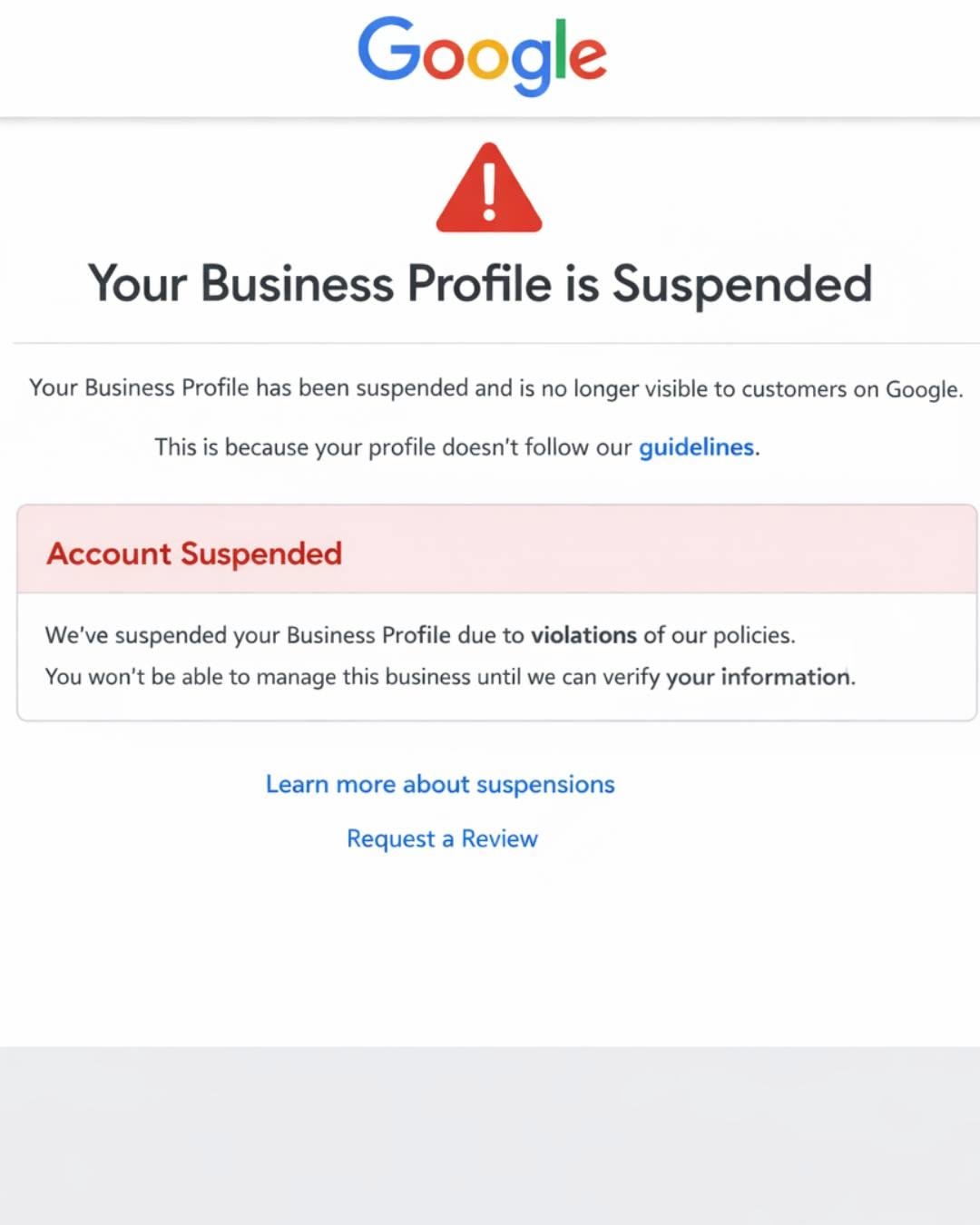
Google Business Profile Suspended? Why It Happens and How to Get It Back

If your Google Business Profile is suspended, Google has found something it believes breaks its guidelines. Common causes are keywords in the business name, an ineligible address, or duplicate profiles. Fix the cause first. Then submit one appeal through the official appeals tool with documents showing your business name and address.

Take your digital marketing to the next level with data-driven strategies and innovative solutions. Let’s create something amazing together!

SEO spam hack

How to Tell If Strange Pages in Google Belong to Your Hacked Website

An SEO spam hack happens when attackers quietly add spam pages, links or keywords to your website so they show up in Google under your domain. Common signs include Japanese or pharmacy text in search results, unknown pages in Search Console and sudden traffic drops. Fixing it means removing the infection, closing the entry point and requesting a Google review.

Introduction

You search your business name on Google and something feels off. Under your domain you see listings for discount handbags, online casinos or pages written entirely in Japanese. Your homepage looks perfectly normal when you visit it, so what is going on?

This is one of the most confusing problems a small business owner can face. The site looks fine to you, but Google sees something completely different. Meanwhile your rankings slide, your leads dry up and customers may see warnings before they ever reach you.

In this guide we explain what an SEO spam hack is, how to confirm your site has one, how cleanup works step by step and how to stop it from coming back. We see this issue regularly during website audits, especially on WordPress sites running on shared hosting, so the advice below comes from real recovery work and Google’s own documentation.

What Is an SEO Spam Hack?

An SEO spam hack is a website compromise where an attacker injects content, pages or links meant to manipulate search engines rather than steal data directly. The attacker borrows your domain’s trust and ranking power to promote their own products, usually counterfeit goods, unlicensed pharmacies, gambling sites or adult content.

Unlike ransomware or a defaced homepage, this kind of hack is designed to stay hidden. The longer it goes unnoticed, the more money the attacker makes from your site’s reputation.

Why do hackers target small business websites?

Small business sites are attractive because they often have older plugins, shared hosting and nobody watching security daily. Your domain also has something valuable: age, local trust and backlinks. Attackers don’t care about your business specifically. Automated bots scan millions of sites looking for any known weakness.

What Are the Most Common Types of SEO Spam Hacks?

Most SEO spam falls into a few recognizable patterns. Knowing which one you have helps you find where it is hiding.

Hack TypeWhat You See in GoogleWhere It Usually Hides
Japanese keyword hackPages with Japanese text selling brand name goodsNew random folders, database entries, rogue files
Pharma hackListings for Viagra, Cialis or online pharmaciesDatabase, theme files, injected plugin code
Casino and gambling spamSlot, betting or casino pages under your domainNew pages, hidden links in footer or posts
Gibberish hackPages filled with nonsense keyword stringsAuto generated pages in subfolders
Cloaked keywords and linksSpam shown only to Google, normal site shown to you.htaccess rules, PHP files that check visitor type
Hidden outbound linksNothing obvious in search, but rankings slipFooter, widgets, old posts, database

What is the Japanese keyword hack?

The Japanese keyword hack is one of the most widespread versions. According to Google’s own guide, it creates new pages filled with automatically generated Japanese text inside randomly named folders, and those pages earn money through affiliate links to stores selling fake brand products. Google also notes that attackers often add themselves as an owner in your Search Console account so they can change settings like sitemaps.

What is cloaking in a spam hack?

Cloaking means showing one version of a page to search engines and a different version to human visitors. In a cloaked spam hack, Googlebot sees spam while you see your normal website. This is exactly why so many owners don’t believe their site is hacked at first. The infection is built to hide from them.

How Do You Know If Your Website Has Been Hacked With Spam?

The fastest check is a Google site search. Type site:yourdomain.com into Google and scroll through several pages of results looking for titles, URLs or languages you never created.

Here are the warning signs we look for during audits:

  • Search results under your domain in a foreign language or for products you don’t sell
  • Strange URLs with random letters and numbers, such as folders you never made
  • A sudden spike in indexed pages inside Google Search Console
  • New owners or users in Search Console that you didn’t add
  • Unknown administrator accounts in your WordPress dashboard
  • Visitors from Google landing on spam, while direct visitors see your normal site
  • A “This site may be hacked” label under your listings in Google
  • Browser warnings or an email from your hosting company about malicious files
  • Sudden traffic or ranking drops with no change on your end

How to check your site step by step

  1. Run a site search. Search site:yourdomain.com and add spam words like site:yourdomain.com viagra or site:yourdomain.com casino to surface hidden pages.
  2. Open the Security Issues report in Google Search Console. If Google has detected hacked content, it lists the issue type and sample URLs here.
  3. Check Search Console users and permissions. Remove anyone you don’t recognize, but only after you secure the site, since attackers can re add themselves.
  4. Review the Pages report. A sudden jump in indexed or discovered pages is a strong signal.
  5. Scan the site with an external scanner like Sucuri SiteCheck and check Google’s Safe Browsing site status tool.
  6. Use the URL Inspection tool on a suspicious URL and view the crawled page. This shows what Googlebot actually saw, which exposes cloaking.

Tip: Searching your own site in Google while logged into WordPress can hide the problem. Some infections only show spam to visitors who arrive from a search engine, so test from a private browser window and from search results, not by typing your URL directly.

Why Is an SEO Spam Hack So Harmful for Your Business?

The damage goes far beyond a few ugly search listings. Here is what typically happens if the hack is left alone:

  • Rankings drop because Google sees thin, spammy pages connected to your domain
  • Trust labels appear, such as hacked site warnings in search results, which lower click rates
  • Paid ads can be disapproved if Google flags the landing page domain
  • Email deliverability can suffer when your domain ends up on blocklists
  • Crawl budget gets wasted on thousands of spam URLs instead of your real service pages
  • Customer trust takes a hit when a prospect searches your brand and sees casino listings

In our experience, the business impact often shows up first as a slow decline in calls and form fills, long before the owner realizes the site is compromised.

How Do Websites Get Infected With SEO Spam?

Most infections come through a small number of predictable openings. Understanding the entry point matters, because cleaning the spam without closing the door means it comes back, often within days.

Entry PointWhy It HappensHow Common
Outdated plugins or themesKnown vulnerabilities get exploited by automated botsVery common
Nulled or pirated pluginsCracked premium plugins often ship with backdoors built inCommon
Weak or reused passwordsBrute force or leaked credentials give direct admin accessCommon
Shared hosting cross infectionOne hacked site on an account spreads to others in the same accountCommon on budget hosting
Abandoned admin accountsOld developer or employee logins never removedModerate
Outdated PHP versionOlder server software has unpatched weaknessesModerate

One pattern we see often: a business owner hosts five or six sites on one shared hosting account, one old test site gets hacked, and within weeks every site on that account is serving spam. Separating sites and isolating accounts is one of the most overlooked security steps.

How Do You Clean Up an SEO Spam Hack?

Cleanup has two goals: remove every trace of the infection and close the entry point. Here is the process we follow, in order.

Step 1: Contain the damage

Put the site in maintenance mode if possible, then change every password connected to it. That includes hosting, the WordPress admin, the database, FTP or SFTP accounts and your email for the domain.

Step 2: Take a backup of the infected site

This sounds strange, but a copy of the hacked version helps you or a professional trace how the attacker got in. Store it offline and never restore from it.

Step 3: Find and remove the infected files

Look for:

  • PHP files inside the uploads folder, where they should never exist
  • Unfamiliar files in the root folder with random names
  • Suspicious rules in the .htaccess file that redirect search engine visitors
  • Modified core files, theme files and the main WordPress configuration file
  • Code that is heavily encoded or scrambled, which is a common sign of malware

The safest approach is to reinstall WordPress core files, themes and plugins from clean official sources rather than trying to edit infected copies line by line.

Step 4: Clean the database

Many spam hacks store their pages and links inside the database. Search the posts and options tables for spam keywords, hidden links and scripts. Remove unknown admin users at this stage too.

Step 5: Close the entry point

Update everything, delete unused plugins and themes, replace any nulled software with licensed versions and update your PHP version through your host.

Step 6: Make spam URLs return a 404 or 410 status

Once removed, spam URLs should return a 404 (not found) or 410 (gone) status code. Do not redirect spam URLs to your homepage, and avoid blocking them in robots.txt, because Google needs to recrawl them to see they are gone.

Step 7: Speed up removal from Google

Use the Removals tool in Search Console to temporarily hide the worst spam URLs from results. Submit a clean, updated sitemap so Google focuses on your real pages.

Step 8: Request a review from Google

If the Security Issues report listed problems, fix every one of them across all pages, then select Request Review. Google states that reviews for sites hacked with spam can take up to several weeks. Explain what you found, what you removed and how you closed the entry point.

How Long Does It Take to Recover Rankings After a Spam Hack?

There is no fixed timeline, and anyone promising one is guessing. Recovery depends on how long the hack ran, how many spam pages Google indexed and how quickly the cleanup was completed.

As a general pattern:

  • Spam URLs usually start dropping out of the index within a few weeks once they return 404 or 410
  • The hacked warning clears after Google approves your review
  • Rankings often recover gradually over several weeks to a few months as Google recrawls your genuine pages

Sites cleaned quickly tend to bounce back faster. Sites infected for many months with tens of thousands of spam pages usually need more time and sometimes additional SEO work.

DIY Cleanup vs Professional Help: Which Is Right for You?

FactorDIY CleanupProfessional Cleanup
Best forSmall, recent infections with a clear causeReinfections, cloaking, large spam footprints
Technical skill neededComfort with file managers, databases and codeNone on your side
RiskMissing a backdoor leads to reinfectionLower, if done thoroughly
TimeCan take days for a non technical ownerUsually faster
CostYour time plus any security toolsPaid service, often with follow up monitoring

Our honest opinion: if you have cleaned the site once and the spam came back, stop and bring in a professional. Reinfection almost always means a hidden backdoor or an unclosed entry point that DIY cleanups miss.

What Are the Most Common Mistakes When Fixing a Hacked Site?

  • Only deleting the sample URLs Google shows you, instead of hunting down the full infection
  • Restoring a backup that is already infected, which brings the hack straight back
  • Redirecting spam URLs to the homepage, which confuses Google and can look manipulative
  • Forgetting to remove rogue Search Console owners
  • Changing the WordPress password but not hosting, database or FTP passwords
  • Skipping the review request and waiting for warnings to disappear on their own
  • Assuming a security plugin alone fixes everything, when plugins detect issues but don’t always remove deeply hidden code

How Can You Prevent SEO Spam Hacks in the Future?

Prevention is far cheaper than recovery. These habits close the doors attackers use most:

  1. Keep WordPress core, plugins and themes updated, ideally weekly
  2. Delete plugins and themes you don’t use, even deactivated ones
  3. Never install nulled or pirated plugins
  4. Turn on two factor authentication for every admin account
  5. Use unique, strong passwords stored in a password manager
  6. Limit admin accounts to people who truly need full access
  7. Add a web application firewall, such as those offered by Wordfence, Sucuri or Cloudflare
  8. Keep automatic offsite backups with several restore points
  9. Isolate sites on separate hosting accounts when possible
  10. Check Google Search Console monthly for security issues, new users and spikes in indexed pages

A regular technical review catches most of these warning signs early, often before Google ever flags the site.

Key Takeaways

  • An SEO spam hack injects hidden pages, keywords or links into your site to profit from your domain’s search reputation.
  • The Japanese keyword hack, pharma hack and casino spam are the most common forms.
  • Cloaking often hides the spam from you while Google sees it, so always check with a site search and Search Console.
  • Cleanup requires removing infected files and database entries, closing the entry point and returning 404 or 410 for spam URLs.
  • Google reviews for spam hacked sites can take up to several weeks, and rankings typically recover gradually afterward.
  • Outdated plugins, nulled software, weak passwords and shared hosting are the most common causes.
  • Reinfection after a cleanup is a strong signal to get professional help.

Frequently Asked Questions

Why does Google show Japanese pages for my website?

Your site is most likely affected by the Japanese keyword hack. Attackers create auto generated pages in random folders on your server, filled with Japanese text and links to counterfeit product stores. Check the Security Issues report in Google Search Console and run a site search to see how many pages are affected.

Why can’t I see the spam when I visit my own website?

Many spam hacks use cloaking, which shows spam only to search engine crawlers or to visitors arriving from Google. When you type your URL directly or browse while logged in, the site looks normal. Use the URL Inspection tool in Search Console to see exactly what Googlebot sees on a suspicious page.

Will an SEO spam hack permanently hurt my rankings?

Usually not, if you act quickly and clean the site completely. Once spam URLs return 404 or 410 status codes and Google approves your review, rankings often recover gradually. Longer infections with thousands of indexed spam pages tend to take more time, and some sites need extra SEO work to regain lost ground.

How do I remove hacked pages from Google search results?

First delete the spam pages so they return a 404 or 410 status code. Then use the Removals tool in Google Search Console to temporarily hide the worst URLs while Google recrawls. Submit a clean sitemap and request a review in the Security Issues report if Google flagged your site.

Can a security plugin fix a spam hack on its own?

A security plugin can detect many infections and remove some of them, but it doesn’t always catch deeply hidden backdoors, database injections or rogue Search Console owners. Treat plugins as one tool in the process. A complete cleanup also includes reinstalling clean files, reviewing the database and closing the original entry point.

Should I just restore an old backup?

Only if you are certain the backup was made before the infection began, and even then you must close the vulnerability first. Many hacks sit quietly for weeks before spam appears, so recent backups are often already infected. Restoring without fixing the entry point usually leads to the same hack returning.

How do I know if my site was hacked again after cleanup?

Watch for new unknown pages in a Google site search, rising indexed page counts in Search Console, new admin users or new Search Console owners. Set up uptime and file change monitoring through a security plugin or firewall. Checking Search Console monthly catches most reinfections early.

Does changing hosting companies fix a spam hack?

Not by itself. If you move infected files to a new host, the infection moves with them. A host change can help when the original account was poorly secured or shared with other infected sites, but the files and database must be cleaned first.

Conclusion

An SEO spam hack is frustrating because it hides in plain sight. Your site looks normal, yet Google is showing casino pages, pharmacy listings or Japanese text under your brand name. The good news is that it is fixable. Confirm the problem with a site search and Search Console, clean the files and database, close the door the attacker used and ask Google for a review.

The real win, though, is catching it early or preventing it altogether. Regular updates, strong access controls and a routine technical check go a long way.

If you are seeing strange pages under your domain or your traffic has dropped without explanation, the team at Optimistx Tech Lab is happy to take a look. A quick technical review can show you what Google is really seeing on your site and what to do next. Reach out anytime at +1 (347) 878 0923 or through our contact page.

Categories
Local Seo Tips

Google Business Profile Suspended? Why It Happens and How to Get It Back

Google Business Profile Suspended? Why It Happens and How to Get It Back

Recent Blog

Does ChatGPT Recommend Your Business? How to Check in 2026

To check if ChatGPT recommends your business, ask it the same questions your customers ask, such as “best plumber in Dallas,” in a logged out or temporary chat. Repeat each prompt a few times, test Gemini, Perplexity and Google AI Overviews too, and record whether you appear, how you are described and which sources get cited.

Google Business Profile Suspended?

If your Google Business Profile is suspended, Google has found something it believes breaks its guidelines. Common causes are keywords in the business name, an ineligible address, or duplicate profiles. Fix the cause first. Then submit one appeal through the official appeals tool with documents showing your business name and address.

Opening your dashboard and finding your listing suspended is stressful. Your calls dry up, your reviews disappear from Maps, and Google rarely explains in plain terms what went wrong. The good news is that most suspensions follow clear patterns, and many legitimate businesses get reinstated when they approach the appeal carefully.

This guide explains what a suspension means, the most common triggers, how to diagnose your specific case, and how to appeal without making things worse.

What Does It Mean When a Google Business Profile Is Suspended?

A suspension means Google has restricted your profile because it believes the listing does not follow its guidelines. Depending on the type, your profile may vanish from Search and Maps entirely, or it may stay visible while you lose the ability to manage it.

Google states that it may suspend or disable Business Profiles that don’t follow its guidelines, and that owners who believe the profile should be reinstated can submit an appeal.

You will often see two informal terms used by local SEO professionals. These are industry labels, not official Google categories, but they help describe what you are seeing:

Type What you see What it usually means
Soft suspension Profile still shows publicly, but you lose management access or the verified badge Google questions the ownership or a recent edit
Hard suspension Profile disappears from Maps and Search, reviews included Google questions whether the business is eligible at all
Account restriction Every profile under your Google account is affected The problem sits with the account, not one listing

The account level case matters because the fix starts in a different place. According to Google, when an account is restricted, the Business Profiles it manages are suspended and the owner cannot create or claim other profiles. The restriction must be appealed from the My accounts page first, and only after that is lifted can the profile suspension be appealed.

Why Do Google Business Profiles Get Suspended?

Most suspensions come from a mismatch between what the profile claims and what Google can verify about the real business. Here are the triggers we see most often when auditing local listings.

1. Keywords stuffed into the business name

This is the classic one. A profile named “Smith Plumbing Best Emergency Plumber Baltimore” when the sign says “Smith Plumbing.” Google’s guidelines say including unnecessary information in your business name isn’t permitted and could result in the suspension of your Business Profile. That includes taglines, service descriptions, locations, and phone numbers.

2. An address Google considers ineligible

Google is strict about where a business physically operates. Its guidelines say P.O. boxes or mailboxes at remote locations aren’t acceptable, and a rented mailing address the business doesn’t operate from, known as a virtual office, isn’t eligible for a Business Profile. Coworking spaces also carry conditions: an office there can only be listed if it has clear signage, receives customers during business hours, and is staffed by the business’s own team during those hours.

3. A service area business showing a home address

Plumbers, cleaners, mobile mechanics, and other businesses that travel to customers often trip this wire. Google says a service area business should hide its address from customers, giving the example of a plumber working from a residential address who should clear that address from the profile.

4. Duplicate or multiple profiles

Creating a second listing for the same location, or a new one after the first was suspended, is a red flag. Google’s rule is that businesses should not create more than one page for each location, either in a single account or across multiple accounts.

5. Big edits made all at once

Changing your name, category, address, phone, and website in the same week can look like a takeover or a rebrand into a different business. Practitioners regularly report suspensions after too many edits made to a profile in a short period of time.

6. Phone numbers and websites that don’t belong to the business

Google requires that the phone number be under the direct control of the business, and that phone numbers or URLs not redirect users to landing pages or numbers other than the actual business’s. Lead generation tracking numbers and redirect domains can cause trouble here.

7. Ineligible business models

Some setups simply cannot have a profile. For example, sales associates or lead generation agents for corporations aren’t individual practitioners and aren’t eligible for a Business Profile. Online only businesses with no in person contact also fall outside the guidelines, since Google requires a location customers visit or a business that travels to customers.

How Do You Find Out Why Your Profile Was Suspended?

Start with the official appeals tool, because it shows the profile, the reason Google flagged it, and a link to the policy involved. Google’s help page confirms the appeals tool displays the restricted profile, the reason for the moderation action, and a link to the violated policy.

Then work through this quick diagnosis:

  1. Check your email. Google usually sends a notice to the owner account when the action happens.
  2. Open the appeals tool and note the exact policy cited. Write it down. Your fix and your evidence must match it.
  3. Compare your profile to your real world presence. Does the name match your signage, invoices, and website exactly?
  4. Check your address setup. Is a home address showing for a mobile business? Is the address a shared mailbox or virtual office?
  5. Search Maps for duplicates. Look for old listings, listings created by former staff, or ones under a slightly different name.
  6. Review recent changes. List every edit made in the past 30 days, including ones made by an agency or employee.

A practical example: a mobile pet groomer we reviewed had “Mobile Dog Grooming Rockville” in the business name and a home address visible on Maps. Two violations, one profile. Fixing only the name and appealing would likely fail, because the address problem would still be there.

How Do You Appeal a Suspended Google Business Profile?

Fix every problem first, gather matching documents, then submit one appeal through the Google Business Profile appeals tool. Order matters. An appeal submitted while the profile still breaks a rule usually gets denied.

Step 1: Correct the profile

Remove keywords from the name, hide a residential address and set a service area, remove duplicate listings, or correct your phone and website. Take dated screenshots of the corrected profile.

Step 2: Prepare evidence before you open the form

This is where many owners lose their chance. Google warns that once the evidence form is opened, it must be submitted within 60 minutes or it won’t be attached to the appeal.

Google lists these as evidence that can help: official business registration, a business license, tax certificates, and utility bills for the business such as electricity, phone, water, or internet. It also advises that the business name and address on every document should match the profile being appealed.

Many professionals also add photos of permanent signage, the storefront, or branded vehicles. Those visuals help prove the business is real and operating where it says it is.

Step 3: Submit through the official tool

Open the appeals tool while signed in to the account that owns the profile, select the listing, submit the appeal, and attach your evidence when prompted.

Step 4: Wait without creating a new profile

Google is direct about this: do not create a new Business Profile for the same business while your appeal is under review. A replacement listing can look like an attempt to dodge enforcement.

Step 5: Track the status

Inside the tool, the appeal status will show as Submitted, Approved, Not Approved, Can’t be appealed, or Eligible for appeal.

How Long Does a Google Business Profile Appeal Take?

Google currently indicates most appeals receive a decision within about five business days. Google says appeal reviews and decisions can take up to five business days. More complex cases can take longer, and timelines can shift, so treat this as a guide rather than a promise.

What If Your Appeal Is Denied?

You may still have one more path: an additional review where you can submit new evidence. Google notes that only if a reinstatement request is denied, it may be able to do an additional review, and owners can provide evidence that wasn’t included with the original appeal. Before you use it, ask honestly why the first one failed. In our experience, the usual reasons are:

  • The underlying violation was never fully fixed
  • The documents showed a different name or address than the profile
  • The business model itself is not eligible, such as a true virtual office
  • Evidence was uploaded after the 60 minute window closed

If the business is genuinely ineligible, no appeal will work. At that point the smarter move is restructuring how the business presents itself, for example converting to a properly set up service area profile.

Common Mistakes That Make Suspensions Worse

Mistake Why it hurts
Appealing before fixing anything Google reviews the profile as it stands today
Filing several appeals for the same issue Creates noise and can slow the review
Building a brand new profile Violates the one profile per location rule
Changing everything at once to “clean up” Can look like the profile is being repurposed
Uploading mismatched documents Undercuts the exact thing the appeal needs to prove
Buying fake reviews to recover lost visibility Breaks separate content policies and adds risk

How Can You Prevent a Future Suspension?

The best protection is a profile that mirrors your real business exactly and changes slowly. A few habits go a long way:

  • Use your real world business name only, exactly as it appears on signage and paperwork
  • Keep your address accurate, or hidden if you serve customers at their location
  • Limit who has manager access, and remove former employees and old vendors
  • Space out significant edits instead of making them all in one session
  • Keep your registration, license, and a recent utility bill in one folder so evidence is ready
  • Review your profile monthly for suggested edits from Google or the public
  • Read Google’s guidelines whenever you change your business model, location, or name

Reinstated profiles tend to get closer scrutiny for a while, so the months after an appeal are the time to be especially careful.

When Should You Get Professional Help?

Consider outside help when the cause is unclear, when multiple profiles or an entire account are affected, or when your first appeal was denied. A specialist can audit the listing against the guidelines, spot violations you may have missed, and organize evidence so it matches the cited policy. No one can guarantee reinstatement, and you should be cautious of anyone who does, since the final decision always belongs to Google.

Key Takeaways

  • A Google Business Profile suspension means Google believes the listing breaks its guidelines.
  • Common triggers include keyword stuffed names, ineligible addresses, visible home addresses for service businesses, duplicates, and rapid edits.
  • The appeals tool shows the reason and the policy involved, so start there.
  • Fix the problem first, then submit one appeal with documents that match your profile’s name and address.
  • Evidence must be submitted within 60 minutes of opening the form.
  • Never create a new profile while an appeal is pending.
  • Most decisions arrive within about five business days, and denied appeals may qualify for an additional review.

Frequently Asked Questions

Why was my Google Business Profile suspended without warning?

Google usually acts automatically when its systems detect a possible guideline violation, so there is rarely advance notice. Common triggers include keywords in the business name, a virtual office address, duplicate listings, or many edits in a short time. Check the appeals tool to see the specific policy cited.

Can I still get customers while my profile is suspended?

Yes. Your website, social profiles, referrals, email list, and other directories such as Bing Places and Apple Business Connect keep working. Paid search can also help cover the gap. These channels are worth building anyway, since relying on one listing for all your leads is risky.

Should I create a new profile if mine is suspended?

No. Google specifically asks owners not to create a new profile for the same business while an appeal is under review. A replacement listing can be treated as a duplicate, which may make reinstatement harder and could lead to further action against your account.

What documents does Google accept for a suspension appeal?

Google lists official business registration, a business license, tax certificates, and utility bills such as electricity, phone, water, or internet. The name and address on each document should match your profile. Photos of permanent signage or branded vehicles can also support your case.

How many times can I appeal a suspension?

Plan on one well prepared appeal. If it is denied, Google may allow an additional review where you can include new evidence. Submitting repeated appeals for the same issue does not speed things up and can make the case messier to review.

Do I lose my reviews when my profile is suspended?

During a hard suspension, your reviews are hidden along with the profile. When a profile is reinstated, reviews generally return with it. That is one reason appealing the original profile is better than starting over with a new one.

Can a home based business have a Google Business Profile?

Yes, if it serves customers in person. A business that travels to customers should hide its home address and set a service area. A home business that welcomes customers on site can show the address if it meets Google’s requirements for signage and staffed hours.

Can an agency cause my profile to be suspended?

It can. Edits made by anyone with access count toward your profile’s history, including keyword heavy name changes or bulk updates. Review who manages your listing, remove access you no longer need, and ask any provider to follow Google’s guidelines closely.

Conclusion

A suspended Google Business Profile feels like a crisis, but it is usually a solvable one. Find the exact policy Google cited, fix every issue behind it, prepare documents that match your profile, and submit one clean appeal. Then protect the listing with steady, accurate management so it never happens again.

If you would rather have someone look at your listing with fresh eyes, the team at Optimistx Tech Lab reviews Google Business Profiles as part of our local SEO work. Reach out to us for a free audit and we’ll help you understand where your profile stands.

Categories
Local Seo Tips

Does ChatGPT Recommend Your Business? How to Check in 2026

Does ChatGPT Recommend Your Business? How to Check in 2026

Recent Blog

Crawled Currently Not Indexed? Why Google Is Ignoring Your Pages and How to Fix It

Crawled currently not indexed means Googlebot visited your page but decided not to add it to the search index yet. It is not a penalty. The usual causes are thin or duplicate content, weak internal links, and low perceived value. Fix it by improving the page, consolidating duplicates, strengthening internal links, then requesting indexing in Search Console.

check if ChatGPT recommends your business

How to Grow Your Digital Business

To check if ChatGPT recommends your business, ask it the same questions your customers ask, such as “best plumber in Dallas,” in a logged out or temporary chat. Repeat each prompt a few times, test Gemini, Perplexity and Google AI Overviews too, and record whether you appear, how you are described and which sources get cited.

Your customers are no longer only typing short phrases into Google. Many now ask full questions to an AI assistant and act on the short list it gives back. If your business is not on that list, you never get the chance to compete for the click.

The good news is that you can test this yourself in under an hour, with no paid tools. This guide walks you through the exact process, explains how to read the results, and shows you what usually causes a business to be left out.

What Is AI Search Visibility?

AI search visibility is how often, how accurately and how favorably AI assistants mention your business when people ask questions related to what you sell.

It is different from a Google ranking in three ways:

  • There is no page two. An AI answer usually names three to seven businesses. You are either in the answer or invisible.
  • Answers change. The same question can return different businesses each time, so one test proves very little.
  • Description matters as much as presence. An AI tool might mention you with the wrong hours, an old address or a weak reason to choose you.

This is why marketers now talk about generative engine optimization (GEO) and answer engine optimization (AEO) alongside traditional SEO.

Where Does ChatGPT Get Its Business Information?

ChatGPT combines what it learned during training with live web searches, pulling from websites, directories, review platforms and map data.

Recent research makes this clearer. A September 2026 investigation by Peec found that ChatGPT’s search results come from its own index plus at least eight outside providers, including Google results and Google Maps listings scraped through third parties, with Yelp and TripAdvisor acting as licensed partners for local data

What gets cited also depends on the type of question. In BrightLocal’s study of local searches in ChatGPT, business websites made up 58% of sources, followed by business mentions at 27% and directories at 15%. For transactional searches, that tilt toward business websites grew to 72%. 

Reviews also play a visible role. When Whitespark asked ChatGPT why it recommended specific local companies, the first reason it gave was reviews

In plain terms: your own website, your listings on third party platforms, your reviews and mentions of you on other sites all feed the answer.

How to Check If ChatGPT Recommends Your Business

Follow these six steps. Set aside about 45 minutes and open a simple spreadsheet before you start.

Step 1: Write the Prompts Your Customers Actually Use

Build a list of 10 to 15 prompts across four types:

Prompt TypeExampleWhat It Tells You
Category plus location“Best roofing company in Tulsa”Whether you appear for your core service
Problem based“My AC is blowing warm air, who should I call in Houston?”Whether AI connects your business to real customer problems
Comparison“Is [Your Business] or [Competitor] better for kitchen remodels?”How AI weighs you against rivals
Brand check“What do you know about [Your Business] in [City]?”Whether AI has accurate facts about you

Write prompts the way a real customer talks, not the way an SEO keyword looks. “Who’s a good dentist near Pacific Beach that takes walk ins” is closer to reality than “dentist Pacific Beach.”

Step 2: Use a Clean Session

Your chat history and saved memory can shape results. Use a temporary chat, a logged out session or a private browser window. If your business serves one city, include that city in the prompt rather than relying on location detection.

Step 3: Test More Than One Platform

Your customers do not all use the same assistant. Run the same prompts on:

  • ChatGPT (with search on)
  • Google AI Overviews and AI Mode
  • Gemini
  • Perplexity
  • Microsoft Copilot

Step 4: Repeat Each Prompt Three Times

AI answers vary. Running each prompt three times gives you a rough mention rate. Appearing in one of three runs is a very different situation from appearing in all three.

Step 5: Record Five Things for Every Answer

Track these columns in your sheet:

  1. Mentioned? Yes or no
  2. Position First, middle or last in the list
  3. Accuracy Are the name, phone, hours, services and location correct?
  4. Sentiment Is the reason given positive, neutral or vague?
  5. Sources cited Which websites did the AI link to?

Step 6: Study the Sources, Not Just the Answer

This is the step most people skip, and it is the most useful one. If Perplexity or ChatGPT cites a “best of” list, a directory or a local news article for your category, that is a site where your business needs a presence. The sources show you the exact path into the answer.

How to Read Your Results

What You FoundWhat It Usually MeansFirst Thing to Look At
Never mentioned anywhereAI tools have weak or no data connecting you to your categoryWebsite service pages, directory listings, reviews
Mentioned with wrong detailsInconsistent business info across the webName, address and phone consistency across listings
Mentioned for brand prompts onlyAI knows you exist but not what you are best atClear service and location content on your site
Mentioned on Gemini but not ChatGPTYour Google footprint is stronger than your other listingsYelp, Bing Places and industry directories
Competitors always appear firstThey have more reviews, mentions or clearer contentTheir cited sources, then your gaps

Why AI Tools Leave Some Businesses Out

From the audits we run, these are the most common reasons:

  • Thin service pages. A homepage that lists ten services in one paragraph gives AI almost nothing to quote.
  • Inconsistent business details. Different phone numbers or old addresses across directories create doubt, and AI tools avoid repeating uncertain facts.
  • Few or old reviews. A business with 12 reviews from 2022 struggles against one with 200 recent reviews.
  • No outside mentions. If no local blog, news site, association or “best of” list has ever named you, AI has little independent evidence about you.
  • Crawling blocked. Some sites accidentally block AI crawlers in robots.txt or through security settings, which can keep content out of AI search indexes.
  • Content written for keywords, not questions. Pages stuffed with phrases but light on direct answers rarely get quoted.

A Practical Example

Here is a simplified, illustrative scenario. A family owned cleaning company in Houston runs 12 prompts on ChatGPT and gets mentioned in 2 of 36 total runs. Both mentions come from brand prompts.

Looking at the sources, ChatGPT keeps citing two local “best cleaning services” roundups and Yelp. The company is not on either roundup and has an unclaimed Yelp page with three reviews. Its website has one general “Services” page.

The fix list writes itself: claim and complete Yelp, request reviews from recent customers, build separate pages for deep cleaning, move out cleaning and recurring service, and reach out to the roundup publishers. None of this is a trick. It is simply making accurate information easy to find.

Common Mistakes When Checking AI Visibility

  • Testing once and drawing conclusions. One answer is a sample, not a result.
  • Only testing your brand name. Customers ask about problems and services, not your name.
  • Ignoring wrong information. Being described inaccurately can hurt more than not being mentioned.
  • Chasing hacks. Hidden text or prompts aimed at AI crawlers are risky and can damage trust with search engines.
  • Checking once a year. AI answers shift as new reviews, pages and sources appear. A quarterly check is a sensible rhythm.

Free Checks vs Paid AI Visibility Tools

OptionBest ForLimitations
Manual testing (this guide)Small businesses, first time checksTime consuming, small sample size
Local rank tracking tools with AI scans, such as Local FalconLocal businesses tracking city level visibilityMonthly cost, platform coverage varies
AI brand monitoring platforms, such as Peec AIBrands tracking many prompts over timeUsually built for larger budgets
Professional AI visibility auditOwners who want a diagnosis and fix planPaid service

Manual testing is a great starting point. Paid tools become worth it once you track dozens of prompts or several locations.

When to Bring in a Professional

You can handle the check yourself. Fixing the causes can get technical, especially when the problem involves crawl access, structured data, duplicate listings or a site with weak content architecture. If your results show you are absent across most platforms, or AI keeps sharing incorrect details about you, an experienced SEO team can usually find the root cause faster. Be wary of anyone who guarantees a top spot in ChatGPT. Nobody controls AI answers, and honest providers will say so.

Key Takeaways

  • AI search visibility means how often and how accurately AI assistants mention your business.
  • Test with real customer questions, in clean sessions, across ChatGPT, Gemini, Perplexity and Google AI features.
  • Run every prompt at least three times because answers vary.
  • The sources an AI cites are your roadmap for where to build presence.
  • Websites, reviews, directory listings and outside mentions all influence AI answers.
  • Accuracy matters as much as being mentioned.
  • Recheck every quarter and avoid anyone who promises guaranteed AI rankings.

Frequently Asked Questions

How do I know if ChatGPT recommends my business?

Ask ChatGPT the questions your customers ask, such as “best electrician in Phoenix,” using a temporary or logged out chat. Run each prompt three times and note whether your business appears, how it is described and which websites are cited as sources. Repeat the same test on other AI tools.

Can I pay to appear in ChatGPT recommendations?

As of now, there is no option to pay for placement in ChatGPT’s organic recommendations. Visibility comes from the information available about your business online, including your website, reviews, directory listings and mentions on trusted sites. Be cautious of any service that claims it can buy you a guaranteed spot.

Does ChatGPT use Google Business Profile data?

Not directly through an official partnership, based on current research. However, studies show ChatGPT can access Google search and map results through third party providers. Keeping your Google Business Profile complete and accurate is still important, because that data travels across the web and supports consistency.

Why does ChatGPT give different answers each time?

AI assistants generate each response fresh, and live search results can change between requests. That randomness is why a single test is unreliable. Running each prompt several times and tracking a mention rate gives you a far more honest picture of your visibility.

How often should I check my AI search visibility?

Every three months works well for most small businesses. Check sooner after major changes, like a new website, a move, a rebrand or a big push for reviews. Keeping the same prompt list each time lets you compare results fairly.

Do reviews affect whether AI recommends my business?

Yes, reviews appear to be a meaningful factor. AI tools often reference ratings and review themes when explaining why they recommend a business. A steady flow of recent, detailed reviews across Google, Yelp and industry platforms gives AI more evidence to work with.

Is AI search visibility the same as SEO?

They overlap but are not identical. Traditional SEO focuses on ranking pages in search results. AI visibility focuses on being mentioned and accurately described inside AI generated answers. Strong SEO foundations help both, but AI visibility also leans heavily on reviews, listings and outside mentions.

What should I do if ChatGPT shares wrong information about my business?

Find the source it cites, then correct the details there first. Update your website, Google Business Profile, Yelp, Bing Places and any directories so your name, address, phone and hours match everywhere. Corrections can take time to appear because AI tools refresh data on their own schedules.

Conclusion

Checking if ChatGPT recommends your business is no longer a curiosity. It is a basic health check, just like looking up your own Google rankings. Write real customer prompts, test across platforms, repeat each one, and pay close attention to the sources AI relies on. Those sources show you exactly where your business needs to show up.

If your results leave you with more questions than answers, the Optimistx Tech Lab team can take a look. We review how AI tools see your business, what is holding you back and which fixes are worth doing first. Feel free to reach out whenever you are ready to talk it through.