Categories
Local Seo Tips

Website Traffic Dropped Suddenly? How to Find the Real Cause Before You Panic

Growth Strategies for Digital Businesses

Recent Blog

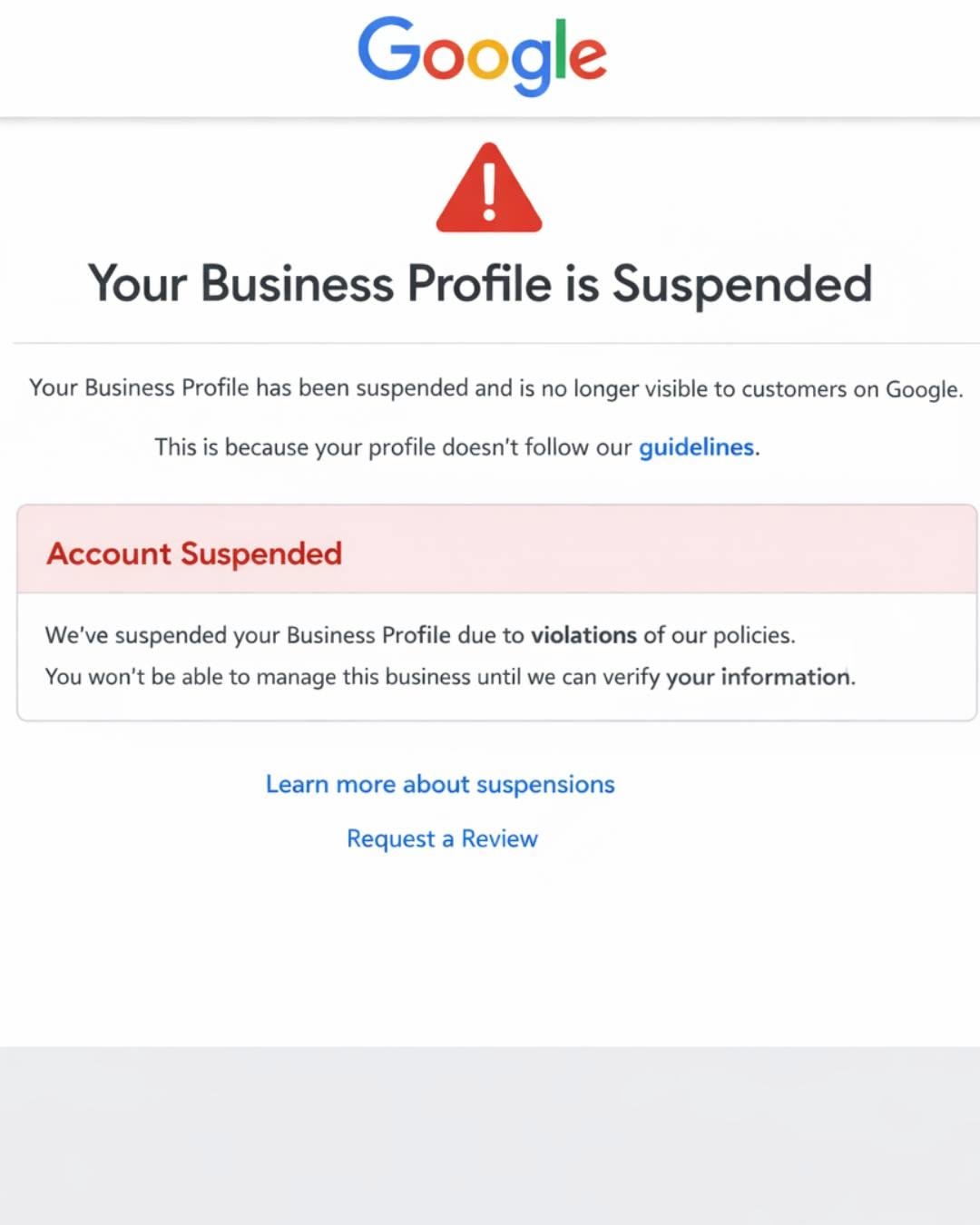
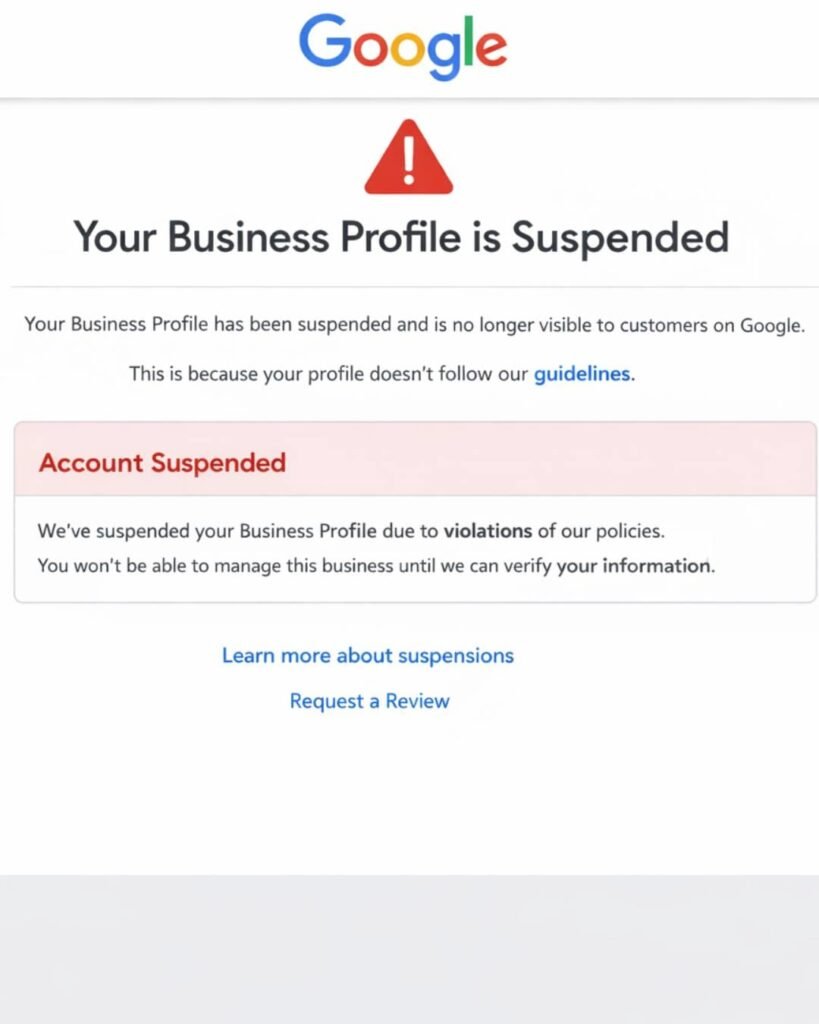
Google Business Profile Suspended? Why It Happens and How to Get It Back

If your Google Business Profile is suspended, Google has found something it believes breaks its guidelines. Common causes are keywords in the business name, an ineligible address, or duplicate profiles. Fix the cause first. Then submit one appeal through the official appeals tool with documents showing your business name and address.

How to Find the Real Cause Before You Panic

Quick Answer: If your website traffic dropped suddenly, first confirm the drop is real by comparing Google Analytics with Google Search Console. Then check the date against Google’s Search Status Dashboard, review Search Console for indexing, manual action and security alerts, and look at which pages and queries lost clicks. The shape of the drop usually points to the cause.

You open your analytics on Monday morning and the line that used to climb now looks like a cliff. It is a stressful moment, especially when your phone calls and form leads depend on that traffic.

Here is the reassuring part. Google itself notes that traffic drops happen for many reasons and most of them can be reversed. The key is finding the actual cause before you start changing things. Rewriting pages or deleting content in a panic can turn a temporary dip into a lasting problem.

This guide walks you through the same order of checks we use in our technical audits, so you can separate a tracking glitch from a real ranking loss in about an hour.

What Counts as a Sudden Traffic Drop?

A sudden traffic drop is a sharp decline in visits, usually 20% or more, that appears within days rather than gradually over months.

Small weekly swings are normal. Holidays, weather, news cycles and paydays all move traffic. A drop deserves investigation when it is large, lasts more than a week, or hits your most important pages, such as service pages or top blog posts.

It also helps to know which kind of traffic fell:

Traffic TypeWhere It Comes FromWhere to Check
Organic searchGoogle, Bing and other unpaid resultsGoogle Search Console, Bing Webmaster Tools
DirectTyped URLs, bookmarks, untracked appsGoogle Analytics 4 (GA4)
ReferralLinks from other websitesGA4 traffic acquisition report
PaidGoogle Ads, Meta AdsAd platform dashboards
SocialFacebook, Instagram, LinkedInGA4 and native social insights
AI referralsChatGPT, Perplexity, GeminiGA4 referral sources

If only one channel fell, your investigation just got much smaller.

Is the Drop Real or Just a Tracking Problem?

Start here, because a surprising number of “traffic drops” are actually broken tracking, not lost visitors.

Compare GA4 with Google Search Console for the same dates. Search Console measures clicks on Google’s side, so it keeps counting even if your analytics code breaks. If GA4 shows a crash but Search Console clicks look normal, the problem is almost certainly tracking.

Common tracking culprits include:

  • A theme or plugin update that removed the GA4 tag or Google Tag Manager container
  • A new cookie consent banner that blocks analytics until visitors accept
  • A website redesign that launched without the tracking code
  • Duplicate or missing tags after switching tools
  • Filters or data settings changed inside GA4

A quick test: open your site in a private window, then check GA4’s Realtime report. If you do not appear, the tag is not firing.

How Does the Shape of the Drop Point to the Cause?

The pattern of the decline is one of the best clues you have, because different problems leave different shapes on the graph.

Google’s own guidance on debugging traffic drops uses this same idea, and notes that a noticeable drop in traffic without a big change in impressions can show up in Search Console. Here is how we read the most common patterns:

Drop PatternLikely CausesWhat to Check First
Overnight cliff across the whole siteSite outage, noindex tag, robots.txt block, hack, manual actionSearch Console alerts, robots.txt, homepage source code
Steady slide over two to three weeksGoogle core update rolling outSearch Status Dashboard dates
Drop on certain pages onlyLost rankings, competitor content, broken redirectsSearch Console Pages report, compare periods
Same dip every yearSeasonalityYear over year comparison, Google Trends
Impressions steady but clicks downAI Overviews, new SERP features, weaker titlesClick through rate by query
Drop right after a redesign or migrationMissing redirects, changed URLs, lost contentRedirect map, 404 errors

Did a Google Update Cause Your Traffic Drop?

Check whether your drop lines up with a confirmed Google update on the Google Search Status Dashboard, which lists every core and spam update with start and end dates.

2026 has already been busy. For example, the March 2026 core update started March 27 and completed April 8, and the May 2026 core update completed its rollout on 2 June 2026. A spam update also ran in March, finishing in under 20 hours on March 24 and 25. google confirms march 2026 core update is complete +2

If your drop matches one of these windows, keep two facts in mind:

  1. A core update drop is not a penalty. Google states that a drop in rankings after a core update doesn’t mean your site violated a policy. It usually means Google now sees other pages as more helpful for those searches.
  2. Wait before judging. Google recommends waiting at least a full week after a core update completes before analyzing performance in Search Console.

Recovery from a core update typically comes from improving content quality over time, not from quick technical tweaks. Google has also said the biggest changes tend to follow another core update, so patience is part of the process.

Could a Technical Issue Be Blocking Google?

Yes, and technical problems are among the most common and most fixable causes of a sudden, sitewide drop.

Google’s Search Central team groups technical issues as errors that stop Google from crawling, indexing or serving your pages, including server availability, robots.txt fetching and page not found errors. Check these in order:

  1. Robots.txt: Visit yoursite.com/robots.txt and make sure you are not blocking important folders. A leftover “Disallow: /” from a staging site can wipe out traffic.
  2. Noindex tags: In WordPress, check Settings, then Reading, and confirm “Discourage search engines” is unchecked. SEO plugins can also add noindex to whole post types.
  3. Search Console Pages report: Look for a jump in “Excluded by noindex tag,” “Not found (404)” or “Server error (5xx).”
  4. Redirects: After any URL change, every old address should 301 redirect to its new match. Redirecting everything to the homepage loses relevance.
  5. Site speed and uptime: Hosting outages or very slow server responses can reduce how often Google crawls you.
  6. HTTPS and SSL: An expired certificate shows browser warnings that scare visitors away.

If pages are crawled but not making it into the index, our guide on crawled currently not indexed explains that issue in depth.

Could Your Website Have Been Hacked?

A hack can cause a sudden drop because Google may warn visitors away or show spam pages in place of your real content.

Google notes that when a site has a security threat, it may alert users before they reach your site with warnings or interstitial pages, which cuts clicks fast. Check the Security Issues and Manual Actions sections in Search Console, then search “site:yourdomain.com” on Google and look for pages you never created, often in other languages or about pharmacy, casino or replica products.

If you spot strange pages, our article on SEO spam hacks covers the warning signs and cleanup steps.

Are AI Overviews Taking Your Clicks?

If impressions stayed steady but clicks fell, AI Overviews or other search features may be answering the question before people reach your site.

This is now one of the most common patterns for informational content. The page still ranks, still appears, but fewer people need to click. To check, open Search Console’s Performance report, enable both Clicks and Impressions, and compare click through rate (CTR) for your top queries before and after the drop.

What helps in this situation:

  • Target questions that need depth, like comparisons, local decisions and step by step processes
  • Strengthen your brand and local presence so AI tools mention you by name
  • Improve titles and meta descriptions so the click feels worthwhile
  • Track AI referrals in GA4 from ChatGPT, Perplexity and Gemini

Being cited inside AI answers is a different visibility channel. You can test it yourself with our guide to checking whether ChatGPT recommends your business.

Is It Just Seasonality or Lower Demand?

Sometimes nothing is wrong with your site at all. People are simply searching less for your topic right now.

Google’s documentation suggests checking whether a drop happens every year due to a festivity or a trend. Compare the same months year over year in Search Console (it keeps 16 months of data), and look up your main keywords in Google Trends.

A few real world examples:

  • A pool cleaning company loses traffic every October.
  • A tax preparer sees a spike in March and a slump in May.
  • A daycare gets heavy searches before school starts, then quieter months.

If demand fell across the whole market, rankings likely did not change. Your share stayed the same, the pie just got smaller.

A Step by Step Traffic Drop Checklist

Work through these 10 checks in order. Stop and fix as soon as you find a clear cause.

  1. Confirm the drop in both GA4 and Search Console.
  2. Identify which channel fell (organic, paid, referral, direct, social).
  3. Note the exact start date and whether the drop was sudden or gradual.
  4. Compare that date to the Google Search Status Dashboard.
  5. Check Search Console for manual actions and security issues.
  6. Review robots.txt, noindex settings and the Pages indexing report.
  7. Use Compare mode in the Performance report and sort by clicks difference to find the pages that lost the most.
  8. Check whether impressions fell or only clicks fell.
  9. Compare year over year and check Google Trends for seasonality.
  10. Search your top keywords manually and see who now outranks you, and why.

A Practical Example

Here is a simplified, illustrative case based on patterns we see often. A home services company in Texas loses 45% of organic clicks over one weekend. Owners assume a Google penalty.

The checklist tells a different story. GA4 and Search Console both confirm the drop, so tracking is fine. No core update was running. The Pages report shows hundreds of URLs suddenly “Excluded by noindex tag.” The cause: a plugin update switched the service post type to noindex.

The fix took five minutes. Requesting reindexing in Search Console and waiting for recrawls brought most traffic back over the following weeks. The lesson is simple. Diagnose first, then act.

Common Mistakes After a Traffic Drop

  • Changing everything at once. If you rewrite content, update plugins and change titles together, you will never know what worked.
  • Deleting pages that lost traffic. Removing content can throw away links and relevance you still need.
  • Disavowing links in a panic. For most small sites, a disavow file is unnecessary and can backfire.
  • Judging a core update too early. Wait until the rollout finishes plus a week.
  • Ignoring Bing. If Google traffic fell but Bing held steady, the cause is likely Google specific.
  • Trusting anyone who guarantees recovery. Nobody controls Google’s rankings.

Free Tools for Diagnosing a Traffic Drop

ToolWhat It Helps You FindCost
Google Search ConsoleClicks, impressions, indexing, manual actions, security issuesFree
Google Analytics 4Channel breakdown, landing pages, AI referralsFree
Google Search Status DashboardConfirmed update datesFree
Google TrendsSeasonal and market demand shiftsFree
Bing Webmaster ToolsCross check against a second search engineFree
PageSpeed InsightsCore Web Vitals and speed issuesFree

Paid tools like Semrush or Ahrefs add competitor ranking history, which is useful once you know the drop is ranking related.

When Should You Get Professional Help?

You can handle the first checks yourself. Consider bringing in an experienced SEO team when the drop is over 30% and lasts more than a month, when you recently migrated or redesigned your site, when Search Console shows a manual action or security issue, or when you simply cannot find a clear cause.

A professional audit is most valuable when several small issues stack together, such as weak internal linking, slow hosting and thin content, because each one alone does not look serious.

Key Takeaways

  • Always confirm a traffic drop in both GA4 and Search Console before acting.
  • The shape and timing of the drop usually reveal the cause.
  • Core update drops are not penalties and need time and content improvement, not quick fixes.
  • Robots.txt, noindex tags, redirects and hacks cause most sudden sitewide drops.
  • Steady impressions with falling clicks often point to AI Overviews or weaker titles.
  • Seasonality explains many drops, so always compare year over year.
  • Change one thing at a time so you can measure what actually works.

Frequently Asked Questions

Why did my website traffic drop suddenly?

The most common causes are broken analytics tracking, a Google core update, technical problems like noindex tags or robots.txt blocks, a security issue, seasonality, or AI Overviews reducing clicks. Compare Google Analytics with Search Console first, then match the drop date to Google’s Search Status Dashboard to narrow it down.

How long does it take to recover from a Google core update?

There is no fixed timeline. Some sites see partial recovery within weeks, while others need until the next core update, which can be several months away. Recovery usually depends on genuinely improving content quality and usefulness rather than technical changes, so steady work matters more than speed.

How do I know if Google penalized my website?

Open Google Search Console and check the Manual Actions report. If it says no issues detected, you do not have a manual penalty. Ranking losses from algorithm updates are not penalties. They reflect Google reassessing which pages best answer a search.

Can a website redesign cause a traffic drop?

Yes. Redesigns often change URLs, remove content, break internal links or launch without tracking code. Every old URL should 301 redirect to its closest new page, and important content, headings and metadata should carry over. Checking Search Console for new 404 errors after launch catches most problems early.

Why are my impressions the same but clicks are down?

This usually means people see your listing but click less. Common reasons include AI Overviews answering the question directly, new search features pushing results lower, competitors with stronger titles, or a drop in average position within page one. Compare click through rate by query to find the affected searches.

Should I delete pages that lost traffic?

Usually not right away. A page that lost traffic may still hold backlinks, rankings for smaller queries or value for visitors. Improve, update or merge it with a related page first. Delete only when the content is truly outdated or unhelpful, and redirect it to a relevant page.

How can I tell if a traffic drop is just seasonal?

Compare the same date range from last year in Google Search Console, which stores 16 months of data. Then check your main keywords in Google Trends. If both show a similar dip at the same time each year, the drop is likely seasonal demand rather than a ranking problem.

Does a hacked website lose Google traffic?

Yes. Hacked sites can show browser warnings, get flagged in search results or have spam pages indexed under your domain. All of these reduce trust and clicks. Check the Security Issues report in Search Console and run a site search on Google to spot unfamiliar pages.

Conclusion

A sudden traffic drop feels urgent, but the fastest route to recovery is calm diagnosis. Confirm the drop is real, read the shape of the graph, line it up with known updates, and rule out technical blocks, hacks and seasonality before changing your content. Most drops have a clear cause once you look in the right order.

If you have worked through the checklist and still cannot pinpoint what happened, the team at Optimistx Tech Lab is happy to take a look. We review your Search Console data, technical setup and content to find what is holding your traffic back and which fixes matter most. Reach out whenever you are ready to talk it through.

Categories
Local Seo Tips

SEO Spam Hack: How to Tell If Strange Pages in Google Belong to Your Hacked Website

SEO Spam Hack: How to Tell If Strange Pages in Google Belong to Your Hacked Website

Home / Single Post

Recent Blog

Google Business Profile Suspended? Why It Happens and How to Get It Back

If your Google Business Profile is suspended, Google has found something it believes breaks its guidelines. Common causes are keywords in the business name, an ineligible address, or duplicate profiles. Fix the cause first. Then submit one appeal through the official appeals tool with documents showing your business name and address.

Take your digital marketing to the next level with data-driven strategies and innovative solutions. Let’s create something amazing together!

SEO spam hack

How to Tell If Strange Pages in Google Belong to Your Hacked Website

An SEO spam hack happens when attackers quietly add spam pages, links or keywords to your website so they show up in Google under your domain. Common signs include Japanese or pharmacy text in search results, unknown pages in Search Console and sudden traffic drops. Fixing it means removing the infection, closing the entry point and requesting a Google review.

Introduction

You search your business name on Google and something feels off. Under your domain you see listings for discount handbags, online casinos or pages written entirely in Japanese. Your homepage looks perfectly normal when you visit it, so what is going on?

This is one of the most confusing problems a small business owner can face. The site looks fine to you, but Google sees something completely different. Meanwhile your rankings slide, your leads dry up and customers may see warnings before they ever reach you.

In this guide we explain what an SEO spam hack is, how to confirm your site has one, how cleanup works step by step and how to stop it from coming back. We see this issue regularly during website audits, especially on WordPress sites running on shared hosting, so the advice below comes from real recovery work and Google’s own documentation.

What Is an SEO Spam Hack?

An SEO spam hack is a website compromise where an attacker injects content, pages or links meant to manipulate search engines rather than steal data directly. The attacker borrows your domain’s trust and ranking power to promote their own products, usually counterfeit goods, unlicensed pharmacies, gambling sites or adult content.

Unlike ransomware or a defaced homepage, this kind of hack is designed to stay hidden. The longer it goes unnoticed, the more money the attacker makes from your site’s reputation.

Why do hackers target small business websites?

Small business sites are attractive because they often have older plugins, shared hosting and nobody watching security daily. Your domain also has something valuable: age, local trust and backlinks. Attackers don’t care about your business specifically. Automated bots scan millions of sites looking for any known weakness.

What Are the Most Common Types of SEO Spam Hacks?

Most SEO spam falls into a few recognizable patterns. Knowing which one you have helps you find where it is hiding.

Hack TypeWhat You See in GoogleWhere It Usually Hides
Japanese keyword hackPages with Japanese text selling brand name goodsNew random folders, database entries, rogue files
Pharma hackListings for Viagra, Cialis or online pharmaciesDatabase, theme files, injected plugin code
Casino and gambling spamSlot, betting or casino pages under your domainNew pages, hidden links in footer or posts
Gibberish hackPages filled with nonsense keyword stringsAuto generated pages in subfolders
Cloaked keywords and linksSpam shown only to Google, normal site shown to you.htaccess rules, PHP files that check visitor type
Hidden outbound linksNothing obvious in search, but rankings slipFooter, widgets, old posts, database

What is the Japanese keyword hack?

The Japanese keyword hack is one of the most widespread versions. According to Google’s own guide, it creates new pages filled with automatically generated Japanese text inside randomly named folders, and those pages earn money through affiliate links to stores selling fake brand products. Google also notes that attackers often add themselves as an owner in your Search Console account so they can change settings like sitemaps.

What is cloaking in a spam hack?

Cloaking means showing one version of a page to search engines and a different version to human visitors. In a cloaked spam hack, Googlebot sees spam while you see your normal website. This is exactly why so many owners don’t believe their site is hacked at first. The infection is built to hide from them.

How Do You Know If Your Website Has Been Hacked With Spam?

The fastest check is a Google site search. Type site:yourdomain.com into Google and scroll through several pages of results looking for titles, URLs or languages you never created.

Here are the warning signs we look for during audits:

  • Search results under your domain in a foreign language or for products you don’t sell
  • Strange URLs with random letters and numbers, such as folders you never made
  • A sudden spike in indexed pages inside Google Search Console
  • New owners or users in Search Console that you didn’t add
  • Unknown administrator accounts in your WordPress dashboard
  • Visitors from Google landing on spam, while direct visitors see your normal site
  • A “This site may be hacked” label under your listings in Google
  • Browser warnings or an email from your hosting company about malicious files
  • Sudden traffic or ranking drops with no change on your end

How to check your site step by step

  1. Run a site search. Search site:yourdomain.com and add spam words like site:yourdomain.com viagra or site:yourdomain.com casino to surface hidden pages.
  2. Open the Security Issues report in Google Search Console. If Google has detected hacked content, it lists the issue type and sample URLs here.
  3. Check Search Console users and permissions. Remove anyone you don’t recognize, but only after you secure the site, since attackers can re add themselves.
  4. Review the Pages report. A sudden jump in indexed or discovered pages is a strong signal.
  5. Scan the site with an external scanner like Sucuri SiteCheck and check Google’s Safe Browsing site status tool.
  6. Use the URL Inspection tool on a suspicious URL and view the crawled page. This shows what Googlebot actually saw, which exposes cloaking.

Tip: Searching your own site in Google while logged into WordPress can hide the problem. Some infections only show spam to visitors who arrive from a search engine, so test from a private browser window and from search results, not by typing your URL directly.

Why Is an SEO Spam Hack So Harmful for Your Business?

The damage goes far beyond a few ugly search listings. Here is what typically happens if the hack is left alone:

  • Rankings drop because Google sees thin, spammy pages connected to your domain
  • Trust labels appear, such as hacked site warnings in search results, which lower click rates
  • Paid ads can be disapproved if Google flags the landing page domain
  • Email deliverability can suffer when your domain ends up on blocklists
  • Crawl budget gets wasted on thousands of spam URLs instead of your real service pages
  • Customer trust takes a hit when a prospect searches your brand and sees casino listings

In our experience, the business impact often shows up first as a slow decline in calls and form fills, long before the owner realizes the site is compromised.

How Do Websites Get Infected With SEO Spam?

Most infections come through a small number of predictable openings. Understanding the entry point matters, because cleaning the spam without closing the door means it comes back, often within days.

Entry PointWhy It HappensHow Common
Outdated plugins or themesKnown vulnerabilities get exploited by automated botsVery common
Nulled or pirated pluginsCracked premium plugins often ship with backdoors built inCommon
Weak or reused passwordsBrute force or leaked credentials give direct admin accessCommon
Shared hosting cross infectionOne hacked site on an account spreads to others in the same accountCommon on budget hosting
Abandoned admin accountsOld developer or employee logins never removedModerate
Outdated PHP versionOlder server software has unpatched weaknessesModerate

One pattern we see often: a business owner hosts five or six sites on one shared hosting account, one old test site gets hacked, and within weeks every site on that account is serving spam. Separating sites and isolating accounts is one of the most overlooked security steps.

How Do You Clean Up an SEO Spam Hack?

Cleanup has two goals: remove every trace of the infection and close the entry point. Here is the process we follow, in order.

Step 1: Contain the damage

Put the site in maintenance mode if possible, then change every password connected to it. That includes hosting, the WordPress admin, the database, FTP or SFTP accounts and your email for the domain.

Step 2: Take a backup of the infected site

This sounds strange, but a copy of the hacked version helps you or a professional trace how the attacker got in. Store it offline and never restore from it.

Step 3: Find and remove the infected files

Look for:

  • PHP files inside the uploads folder, where they should never exist
  • Unfamiliar files in the root folder with random names
  • Suspicious rules in the .htaccess file that redirect search engine visitors
  • Modified core files, theme files and the main WordPress configuration file
  • Code that is heavily encoded or scrambled, which is a common sign of malware

The safest approach is to reinstall WordPress core files, themes and plugins from clean official sources rather than trying to edit infected copies line by line.

Step 4: Clean the database

Many spam hacks store their pages and links inside the database. Search the posts and options tables for spam keywords, hidden links and scripts. Remove unknown admin users at this stage too.

Step 5: Close the entry point

Update everything, delete unused plugins and themes, replace any nulled software with licensed versions and update your PHP version through your host.

Step 6: Make spam URLs return a 404 or 410 status

Once removed, spam URLs should return a 404 (not found) or 410 (gone) status code. Do not redirect spam URLs to your homepage, and avoid blocking them in robots.txt, because Google needs to recrawl them to see they are gone.

Step 7: Speed up removal from Google

Use the Removals tool in Search Console to temporarily hide the worst spam URLs from results. Submit a clean, updated sitemap so Google focuses on your real pages.

Step 8: Request a review from Google

If the Security Issues report listed problems, fix every one of them across all pages, then select Request Review. Google states that reviews for sites hacked with spam can take up to several weeks. Explain what you found, what you removed and how you closed the entry point.

How Long Does It Take to Recover Rankings After a Spam Hack?

There is no fixed timeline, and anyone promising one is guessing. Recovery depends on how long the hack ran, how many spam pages Google indexed and how quickly the cleanup was completed.

As a general pattern:

  • Spam URLs usually start dropping out of the index within a few weeks once they return 404 or 410
  • The hacked warning clears after Google approves your review
  • Rankings often recover gradually over several weeks to a few months as Google recrawls your genuine pages

Sites cleaned quickly tend to bounce back faster. Sites infected for many months with tens of thousands of spam pages usually need more time and sometimes additional SEO work.

DIY Cleanup vs Professional Help: Which Is Right for You?

FactorDIY CleanupProfessional Cleanup
Best forSmall, recent infections with a clear causeReinfections, cloaking, large spam footprints
Technical skill neededComfort with file managers, databases and codeNone on your side
RiskMissing a backdoor leads to reinfectionLower, if done thoroughly
TimeCan take days for a non technical ownerUsually faster
CostYour time plus any security toolsPaid service, often with follow up monitoring

Our honest opinion: if you have cleaned the site once and the spam came back, stop and bring in a professional. Reinfection almost always means a hidden backdoor or an unclosed entry point that DIY cleanups miss.

What Are the Most Common Mistakes When Fixing a Hacked Site?

  • Only deleting the sample URLs Google shows you, instead of hunting down the full infection
  • Restoring a backup that is already infected, which brings the hack straight back
  • Redirecting spam URLs to the homepage, which confuses Google and can look manipulative
  • Forgetting to remove rogue Search Console owners
  • Changing the WordPress password but not hosting, database or FTP passwords
  • Skipping the review request and waiting for warnings to disappear on their own
  • Assuming a security plugin alone fixes everything, when plugins detect issues but don’t always remove deeply hidden code

How Can You Prevent SEO Spam Hacks in the Future?

Prevention is far cheaper than recovery. These habits close the doors attackers use most:

  1. Keep WordPress core, plugins and themes updated, ideally weekly
  2. Delete plugins and themes you don’t use, even deactivated ones
  3. Never install nulled or pirated plugins
  4. Turn on two factor authentication for every admin account
  5. Use unique, strong passwords stored in a password manager
  6. Limit admin accounts to people who truly need full access
  7. Add a web application firewall, such as those offered by Wordfence, Sucuri or Cloudflare
  8. Keep automatic offsite backups with several restore points
  9. Isolate sites on separate hosting accounts when possible
  10. Check Google Search Console monthly for security issues, new users and spikes in indexed pages

A regular technical review catches most of these warning signs early, often before Google ever flags the site.

Key Takeaways

  • An SEO spam hack injects hidden pages, keywords or links into your site to profit from your domain’s search reputation.
  • The Japanese keyword hack, pharma hack and casino spam are the most common forms.
  • Cloaking often hides the spam from you while Google sees it, so always check with a site search and Search Console.
  • Cleanup requires removing infected files and database entries, closing the entry point and returning 404 or 410 for spam URLs.
  • Google reviews for spam hacked sites can take up to several weeks, and rankings typically recover gradually afterward.
  • Outdated plugins, nulled software, weak passwords and shared hosting are the most common causes.
  • Reinfection after a cleanup is a strong signal to get professional help.

Frequently Asked Questions

Why does Google show Japanese pages for my website?

Your site is most likely affected by the Japanese keyword hack. Attackers create auto generated pages in random folders on your server, filled with Japanese text and links to counterfeit product stores. Check the Security Issues report in Google Search Console and run a site search to see how many pages are affected.

Why can’t I see the spam when I visit my own website?

Many spam hacks use cloaking, which shows spam only to search engine crawlers or to visitors arriving from Google. When you type your URL directly or browse while logged in, the site looks normal. Use the URL Inspection tool in Search Console to see exactly what Googlebot sees on a suspicious page.

Will an SEO spam hack permanently hurt my rankings?

Usually not, if you act quickly and clean the site completely. Once spam URLs return 404 or 410 status codes and Google approves your review, rankings often recover gradually. Longer infections with thousands of indexed spam pages tend to take more time, and some sites need extra SEO work to regain lost ground.

How do I remove hacked pages from Google search results?

First delete the spam pages so they return a 404 or 410 status code. Then use the Removals tool in Google Search Console to temporarily hide the worst URLs while Google recrawls. Submit a clean sitemap and request a review in the Security Issues report if Google flagged your site.

Can a security plugin fix a spam hack on its own?

A security plugin can detect many infections and remove some of them, but it doesn’t always catch deeply hidden backdoors, database injections or rogue Search Console owners. Treat plugins as one tool in the process. A complete cleanup also includes reinstalling clean files, reviewing the database and closing the original entry point.

Should I just restore an old backup?

Only if you are certain the backup was made before the infection began, and even then you must close the vulnerability first. Many hacks sit quietly for weeks before spam appears, so recent backups are often already infected. Restoring without fixing the entry point usually leads to the same hack returning.

How do I know if my site was hacked again after cleanup?

Watch for new unknown pages in a Google site search, rising indexed page counts in Search Console, new admin users or new Search Console owners. Set up uptime and file change monitoring through a security plugin or firewall. Checking Search Console monthly catches most reinfections early.

Does changing hosting companies fix a spam hack?

Not by itself. If you move infected files to a new host, the infection moves with them. A host change can help when the original account was poorly secured or shared with other infected sites, but the files and database must be cleaned first.

Conclusion

An SEO spam hack is frustrating because it hides in plain sight. Your site looks normal, yet Google is showing casino pages, pharmacy listings or Japanese text under your brand name. The good news is that it is fixable. Confirm the problem with a site search and Search Console, clean the files and database, close the door the attacker used and ask Google for a review.

The real win, though, is catching it early or preventing it altogether. Regular updates, strong access controls and a routine technical check go a long way.

If you are seeing strange pages under your domain or your traffic has dropped without explanation, the team at Optimistx Tech Lab is happy to take a look. A quick technical review can show you what Google is really seeing on your site and what to do next. Reach out anytime at +1 (347) 878 0923 or through our contact page.

Categories
Local Seo Tips

Google Business Profile Suspended? Why It Happens and How to Get It Back

Google Business Profile Suspended? Why It Happens and How to Get It Back

Recent Blog

Does ChatGPT Recommend Your Business? How to Check in 2026

To check if ChatGPT recommends your business, ask it the same questions your customers ask, such as “best plumber in Dallas,” in a logged out or temporary chat. Repeat each prompt a few times, test Gemini, Perplexity and Google AI Overviews too, and record whether you appear, how you are described and which sources get cited.

Google Business Profile Suspended?

If your Google Business Profile is suspended, Google has found something it believes breaks its guidelines. Common causes are keywords in the business name, an ineligible address, or duplicate profiles. Fix the cause first. Then submit one appeal through the official appeals tool with documents showing your business name and address.

Opening your dashboard and finding your listing suspended is stressful. Your calls dry up, your reviews disappear from Maps, and Google rarely explains in plain terms what went wrong. The good news is that most suspensions follow clear patterns, and many legitimate businesses get reinstated when they approach the appeal carefully.

This guide explains what a suspension means, the most common triggers, how to diagnose your specific case, and how to appeal without making things worse.

What Does It Mean When a Google Business Profile Is Suspended?

A suspension means Google has restricted your profile because it believes the listing does not follow its guidelines. Depending on the type, your profile may vanish from Search and Maps entirely, or it may stay visible while you lose the ability to manage it.

Google states that it may suspend or disable Business Profiles that don’t follow its guidelines, and that owners who believe the profile should be reinstated can submit an appeal.

You will often see two informal terms used by local SEO professionals. These are industry labels, not official Google categories, but they help describe what you are seeing:

Type What you see What it usually means
Soft suspension Profile still shows publicly, but you lose management access or the verified badge Google questions the ownership or a recent edit
Hard suspension Profile disappears from Maps and Search, reviews included Google questions whether the business is eligible at all
Account restriction Every profile under your Google account is affected The problem sits with the account, not one listing

The account level case matters because the fix starts in a different place. According to Google, when an account is restricted, the Business Profiles it manages are suspended and the owner cannot create or claim other profiles. The restriction must be appealed from the My accounts page first, and only after that is lifted can the profile suspension be appealed.

Why Do Google Business Profiles Get Suspended?

Most suspensions come from a mismatch between what the profile claims and what Google can verify about the real business. Here are the triggers we see most often when auditing local listings.

1. Keywords stuffed into the business name

This is the classic one. A profile named “Smith Plumbing Best Emergency Plumber Baltimore” when the sign says “Smith Plumbing.” Google’s guidelines say including unnecessary information in your business name isn’t permitted and could result in the suspension of your Business Profile. That includes taglines, service descriptions, locations, and phone numbers.

2. An address Google considers ineligible

Google is strict about where a business physically operates. Its guidelines say P.O. boxes or mailboxes at remote locations aren’t acceptable, and a rented mailing address the business doesn’t operate from, known as a virtual office, isn’t eligible for a Business Profile. Coworking spaces also carry conditions: an office there can only be listed if it has clear signage, receives customers during business hours, and is staffed by the business’s own team during those hours.

3. A service area business showing a home address

Plumbers, cleaners, mobile mechanics, and other businesses that travel to customers often trip this wire. Google says a service area business should hide its address from customers, giving the example of a plumber working from a residential address who should clear that address from the profile.

4. Duplicate or multiple profiles

Creating a second listing for the same location, or a new one after the first was suspended, is a red flag. Google’s rule is that businesses should not create more than one page for each location, either in a single account or across multiple accounts.

5. Big edits made all at once

Changing your name, category, address, phone, and website in the same week can look like a takeover or a rebrand into a different business. Practitioners regularly report suspensions after too many edits made to a profile in a short period of time.

6. Phone numbers and websites that don’t belong to the business

Google requires that the phone number be under the direct control of the business, and that phone numbers or URLs not redirect users to landing pages or numbers other than the actual business’s. Lead generation tracking numbers and redirect domains can cause trouble here.

7. Ineligible business models

Some setups simply cannot have a profile. For example, sales associates or lead generation agents for corporations aren’t individual practitioners and aren’t eligible for a Business Profile. Online only businesses with no in person contact also fall outside the guidelines, since Google requires a location customers visit or a business that travels to customers.

How Do You Find Out Why Your Profile Was Suspended?

Start with the official appeals tool, because it shows the profile, the reason Google flagged it, and a link to the policy involved. Google’s help page confirms the appeals tool displays the restricted profile, the reason for the moderation action, and a link to the violated policy.

Then work through this quick diagnosis:

  1. Check your email. Google usually sends a notice to the owner account when the action happens.
  2. Open the appeals tool and note the exact policy cited. Write it down. Your fix and your evidence must match it.
  3. Compare your profile to your real world presence. Does the name match your signage, invoices, and website exactly?
  4. Check your address setup. Is a home address showing for a mobile business? Is the address a shared mailbox or virtual office?
  5. Search Maps for duplicates. Look for old listings, listings created by former staff, or ones under a slightly different name.
  6. Review recent changes. List every edit made in the past 30 days, including ones made by an agency or employee.

A practical example: a mobile pet groomer we reviewed had “Mobile Dog Grooming Rockville” in the business name and a home address visible on Maps. Two violations, one profile. Fixing only the name and appealing would likely fail, because the address problem would still be there.

How Do You Appeal a Suspended Google Business Profile?

Fix every problem first, gather matching documents, then submit one appeal through the Google Business Profile appeals tool. Order matters. An appeal submitted while the profile still breaks a rule usually gets denied.

Step 1: Correct the profile

Remove keywords from the name, hide a residential address and set a service area, remove duplicate listings, or correct your phone and website. Take dated screenshots of the corrected profile.

Step 2: Prepare evidence before you open the form

This is where many owners lose their chance. Google warns that once the evidence form is opened, it must be submitted within 60 minutes or it won’t be attached to the appeal.

Google lists these as evidence that can help: official business registration, a business license, tax certificates, and utility bills for the business such as electricity, phone, water, or internet. It also advises that the business name and address on every document should match the profile being appealed.

Many professionals also add photos of permanent signage, the storefront, or branded vehicles. Those visuals help prove the business is real and operating where it says it is.

Step 3: Submit through the official tool

Open the appeals tool while signed in to the account that owns the profile, select the listing, submit the appeal, and attach your evidence when prompted.

Step 4: Wait without creating a new profile

Google is direct about this: do not create a new Business Profile for the same business while your appeal is under review. A replacement listing can look like an attempt to dodge enforcement.

Step 5: Track the status

Inside the tool, the appeal status will show as Submitted, Approved, Not Approved, Can’t be appealed, or Eligible for appeal.

How Long Does a Google Business Profile Appeal Take?

Google currently indicates most appeals receive a decision within about five business days. Google says appeal reviews and decisions can take up to five business days. More complex cases can take longer, and timelines can shift, so treat this as a guide rather than a promise.

What If Your Appeal Is Denied?

You may still have one more path: an additional review where you can submit new evidence. Google notes that only if a reinstatement request is denied, it may be able to do an additional review, and owners can provide evidence that wasn’t included with the original appeal. Before you use it, ask honestly why the first one failed. In our experience, the usual reasons are:

  • The underlying violation was never fully fixed
  • The documents showed a different name or address than the profile
  • The business model itself is not eligible, such as a true virtual office
  • Evidence was uploaded after the 60 minute window closed

If the business is genuinely ineligible, no appeal will work. At that point the smarter move is restructuring how the business presents itself, for example converting to a properly set up service area profile.

Common Mistakes That Make Suspensions Worse

Mistake Why it hurts
Appealing before fixing anything Google reviews the profile as it stands today
Filing several appeals for the same issue Creates noise and can slow the review
Building a brand new profile Violates the one profile per location rule
Changing everything at once to “clean up” Can look like the profile is being repurposed
Uploading mismatched documents Undercuts the exact thing the appeal needs to prove
Buying fake reviews to recover lost visibility Breaks separate content policies and adds risk

How Can You Prevent a Future Suspension?

The best protection is a profile that mirrors your real business exactly and changes slowly. A few habits go a long way:

  • Use your real world business name only, exactly as it appears on signage and paperwork
  • Keep your address accurate, or hidden if you serve customers at their location
  • Limit who has manager access, and remove former employees and old vendors
  • Space out significant edits instead of making them all in one session
  • Keep your registration, license, and a recent utility bill in one folder so evidence is ready
  • Review your profile monthly for suggested edits from Google or the public
  • Read Google’s guidelines whenever you change your business model, location, or name

Reinstated profiles tend to get closer scrutiny for a while, so the months after an appeal are the time to be especially careful.

When Should You Get Professional Help?

Consider outside help when the cause is unclear, when multiple profiles or an entire account are affected, or when your first appeal was denied. A specialist can audit the listing against the guidelines, spot violations you may have missed, and organize evidence so it matches the cited policy. No one can guarantee reinstatement, and you should be cautious of anyone who does, since the final decision always belongs to Google.

Key Takeaways

  • A Google Business Profile suspension means Google believes the listing breaks its guidelines.
  • Common triggers include keyword stuffed names, ineligible addresses, visible home addresses for service businesses, duplicates, and rapid edits.
  • The appeals tool shows the reason and the policy involved, so start there.
  • Fix the problem first, then submit one appeal with documents that match your profile’s name and address.
  • Evidence must be submitted within 60 minutes of opening the form.
  • Never create a new profile while an appeal is pending.
  • Most decisions arrive within about five business days, and denied appeals may qualify for an additional review.

Frequently Asked Questions

Why was my Google Business Profile suspended without warning?

Google usually acts automatically when its systems detect a possible guideline violation, so there is rarely advance notice. Common triggers include keywords in the business name, a virtual office address, duplicate listings, or many edits in a short time. Check the appeals tool to see the specific policy cited.

Can I still get customers while my profile is suspended?

Yes. Your website, social profiles, referrals, email list, and other directories such as Bing Places and Apple Business Connect keep working. Paid search can also help cover the gap. These channels are worth building anyway, since relying on one listing for all your leads is risky.

Should I create a new profile if mine is suspended?

No. Google specifically asks owners not to create a new profile for the same business while an appeal is under review. A replacement listing can be treated as a duplicate, which may make reinstatement harder and could lead to further action against your account.

What documents does Google accept for a suspension appeal?

Google lists official business registration, a business license, tax certificates, and utility bills such as electricity, phone, water, or internet. The name and address on each document should match your profile. Photos of permanent signage or branded vehicles can also support your case.

How many times can I appeal a suspension?

Plan on one well prepared appeal. If it is denied, Google may allow an additional review where you can include new evidence. Submitting repeated appeals for the same issue does not speed things up and can make the case messier to review.

Do I lose my reviews when my profile is suspended?

During a hard suspension, your reviews are hidden along with the profile. When a profile is reinstated, reviews generally return with it. That is one reason appealing the original profile is better than starting over with a new one.

Can a home based business have a Google Business Profile?

Yes, if it serves customers in person. A business that travels to customers should hide its home address and set a service area. A home business that welcomes customers on site can show the address if it meets Google’s requirements for signage and staffed hours.

Can an agency cause my profile to be suspended?

It can. Edits made by anyone with access count toward your profile’s history, including keyword heavy name changes or bulk updates. Review who manages your listing, remove access you no longer need, and ask any provider to follow Google’s guidelines closely.

Conclusion

A suspended Google Business Profile feels like a crisis, but it is usually a solvable one. Find the exact policy Google cited, fix every issue behind it, prepare documents that match your profile, and submit one clean appeal. Then protect the listing with steady, accurate management so it never happens again.

If you would rather have someone look at your listing with fresh eyes, the team at Optimistx Tech Lab reviews Google Business Profiles as part of our local SEO work. Reach out to us for a free audit and we’ll help you understand where your profile stands.

Categories
Local Seo Tips

Does ChatGPT Recommend Your Business? How to Check in 2026

Does ChatGPT Recommend Your Business? How to Check in 2026

Recent Blog

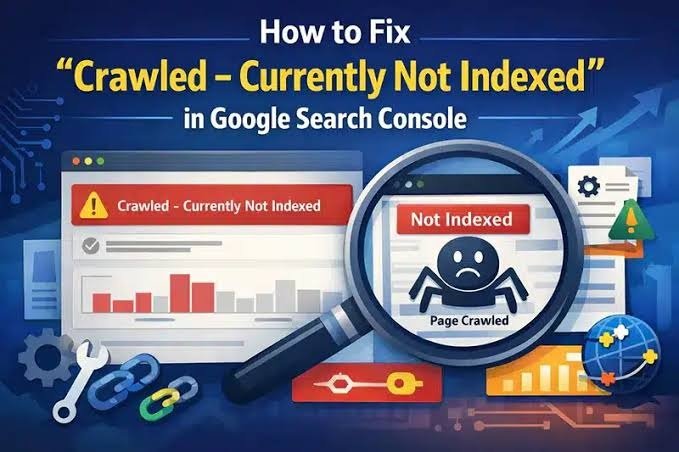
Crawled Currently Not Indexed? Why Google Is Ignoring Your Pages and How to Fix It

Crawled currently not indexed means Googlebot visited your page but decided not to add it to the search index yet. It is not a penalty. The usual causes are thin or duplicate content, weak internal links, and low perceived value. Fix it by improving the page, consolidating duplicates, strengthening internal links, then requesting indexing in Search Console.

check if ChatGPT recommends your business

How to Grow Your Digital Business

To check if ChatGPT recommends your business, ask it the same questions your customers ask, such as “best plumber in Dallas,” in a logged out or temporary chat. Repeat each prompt a few times, test Gemini, Perplexity and Google AI Overviews too, and record whether you appear, how you are described and which sources get cited.

Your customers are no longer only typing short phrases into Google. Many now ask full questions to an AI assistant and act on the short list it gives back. If your business is not on that list, you never get the chance to compete for the click.

The good news is that you can test this yourself in under an hour, with no paid tools. This guide walks you through the exact process, explains how to read the results, and shows you what usually causes a business to be left out.

What Is AI Search Visibility?

AI search visibility is how often, how accurately and how favorably AI assistants mention your business when people ask questions related to what you sell.

It is different from a Google ranking in three ways:

  • There is no page two. An AI answer usually names three to seven businesses. You are either in the answer or invisible.
  • Answers change. The same question can return different businesses each time, so one test proves very little.
  • Description matters as much as presence. An AI tool might mention you with the wrong hours, an old address or a weak reason to choose you.

This is why marketers now talk about generative engine optimization (GEO) and answer engine optimization (AEO) alongside traditional SEO.

Where Does ChatGPT Get Its Business Information?

ChatGPT combines what it learned during training with live web searches, pulling from websites, directories, review platforms and map data.

Recent research makes this clearer. A September 2026 investigation by Peec found that ChatGPT’s search results come from its own index plus at least eight outside providers, including Google results and Google Maps listings scraped through third parties, with Yelp and TripAdvisor acting as licensed partners for local data

What gets cited also depends on the type of question. In BrightLocal’s study of local searches in ChatGPT, business websites made up 58% of sources, followed by business mentions at 27% and directories at 15%. For transactional searches, that tilt toward business websites grew to 72%. 

Reviews also play a visible role. When Whitespark asked ChatGPT why it recommended specific local companies, the first reason it gave was reviews

In plain terms: your own website, your listings on third party platforms, your reviews and mentions of you on other sites all feed the answer.

How to Check If ChatGPT Recommends Your Business

Follow these six steps. Set aside about 45 minutes and open a simple spreadsheet before you start.

Step 1: Write the Prompts Your Customers Actually Use

Build a list of 10 to 15 prompts across four types:

Prompt TypeExampleWhat It Tells You
Category plus location“Best roofing company in Tulsa”Whether you appear for your core service
Problem based“My AC is blowing warm air, who should I call in Houston?”Whether AI connects your business to real customer problems
Comparison“Is [Your Business] or [Competitor] better for kitchen remodels?”How AI weighs you against rivals
Brand check“What do you know about [Your Business] in [City]?”Whether AI has accurate facts about you

Write prompts the way a real customer talks, not the way an SEO keyword looks. “Who’s a good dentist near Pacific Beach that takes walk ins” is closer to reality than “dentist Pacific Beach.”

Step 2: Use a Clean Session

Your chat history and saved memory can shape results. Use a temporary chat, a logged out session or a private browser window. If your business serves one city, include that city in the prompt rather than relying on location detection.

Step 3: Test More Than One Platform

Your customers do not all use the same assistant. Run the same prompts on:

  • ChatGPT (with search on)
  • Google AI Overviews and AI Mode
  • Gemini
  • Perplexity
  • Microsoft Copilot

Step 4: Repeat Each Prompt Three Times

AI answers vary. Running each prompt three times gives you a rough mention rate. Appearing in one of three runs is a very different situation from appearing in all three.

Step 5: Record Five Things for Every Answer

Track these columns in your sheet:

  1. Mentioned? Yes or no
  2. Position First, middle or last in the list
  3. Accuracy Are the name, phone, hours, services and location correct?
  4. Sentiment Is the reason given positive, neutral or vague?
  5. Sources cited Which websites did the AI link to?

Step 6: Study the Sources, Not Just the Answer

This is the step most people skip, and it is the most useful one. If Perplexity or ChatGPT cites a “best of” list, a directory or a local news article for your category, that is a site where your business needs a presence. The sources show you the exact path into the answer.

How to Read Your Results

What You FoundWhat It Usually MeansFirst Thing to Look At
Never mentioned anywhereAI tools have weak or no data connecting you to your categoryWebsite service pages, directory listings, reviews
Mentioned with wrong detailsInconsistent business info across the webName, address and phone consistency across listings
Mentioned for brand prompts onlyAI knows you exist but not what you are best atClear service and location content on your site
Mentioned on Gemini but not ChatGPTYour Google footprint is stronger than your other listingsYelp, Bing Places and industry directories
Competitors always appear firstThey have more reviews, mentions or clearer contentTheir cited sources, then your gaps

Why AI Tools Leave Some Businesses Out

From the audits we run, these are the most common reasons:

  • Thin service pages. A homepage that lists ten services in one paragraph gives AI almost nothing to quote.
  • Inconsistent business details. Different phone numbers or old addresses across directories create doubt, and AI tools avoid repeating uncertain facts.
  • Few or old reviews. A business with 12 reviews from 2022 struggles against one with 200 recent reviews.
  • No outside mentions. If no local blog, news site, association or “best of” list has ever named you, AI has little independent evidence about you.
  • Crawling blocked. Some sites accidentally block AI crawlers in robots.txt or through security settings, which can keep content out of AI search indexes.
  • Content written for keywords, not questions. Pages stuffed with phrases but light on direct answers rarely get quoted.

A Practical Example

Here is a simplified, illustrative scenario. A family owned cleaning company in Houston runs 12 prompts on ChatGPT and gets mentioned in 2 of 36 total runs. Both mentions come from brand prompts.

Looking at the sources, ChatGPT keeps citing two local “best cleaning services” roundups and Yelp. The company is not on either roundup and has an unclaimed Yelp page with three reviews. Its website has one general “Services” page.

The fix list writes itself: claim and complete Yelp, request reviews from recent customers, build separate pages for deep cleaning, move out cleaning and recurring service, and reach out to the roundup publishers. None of this is a trick. It is simply making accurate information easy to find.

Common Mistakes When Checking AI Visibility

  • Testing once and drawing conclusions. One answer is a sample, not a result.
  • Only testing your brand name. Customers ask about problems and services, not your name.
  • Ignoring wrong information. Being described inaccurately can hurt more than not being mentioned.
  • Chasing hacks. Hidden text or prompts aimed at AI crawlers are risky and can damage trust with search engines.
  • Checking once a year. AI answers shift as new reviews, pages and sources appear. A quarterly check is a sensible rhythm.

Free Checks vs Paid AI Visibility Tools

OptionBest ForLimitations
Manual testing (this guide)Small businesses, first time checksTime consuming, small sample size
Local rank tracking tools with AI scans, such as Local FalconLocal businesses tracking city level visibilityMonthly cost, platform coverage varies
AI brand monitoring platforms, such as Peec AIBrands tracking many prompts over timeUsually built for larger budgets
Professional AI visibility auditOwners who want a diagnosis and fix planPaid service

Manual testing is a great starting point. Paid tools become worth it once you track dozens of prompts or several locations.

When to Bring in a Professional

You can handle the check yourself. Fixing the causes can get technical, especially when the problem involves crawl access, structured data, duplicate listings or a site with weak content architecture. If your results show you are absent across most platforms, or AI keeps sharing incorrect details about you, an experienced SEO team can usually find the root cause faster. Be wary of anyone who guarantees a top spot in ChatGPT. Nobody controls AI answers, and honest providers will say so.

Key Takeaways

  • AI search visibility means how often and how accurately AI assistants mention your business.
  • Test with real customer questions, in clean sessions, across ChatGPT, Gemini, Perplexity and Google AI features.
  • Run every prompt at least three times because answers vary.
  • The sources an AI cites are your roadmap for where to build presence.
  • Websites, reviews, directory listings and outside mentions all influence AI answers.
  • Accuracy matters as much as being mentioned.
  • Recheck every quarter and avoid anyone who promises guaranteed AI rankings.

Frequently Asked Questions

How do I know if ChatGPT recommends my business?

Ask ChatGPT the questions your customers ask, such as “best electrician in Phoenix,” using a temporary or logged out chat. Run each prompt three times and note whether your business appears, how it is described and which websites are cited as sources. Repeat the same test on other AI tools.

Can I pay to appear in ChatGPT recommendations?

As of now, there is no option to pay for placement in ChatGPT’s organic recommendations. Visibility comes from the information available about your business online, including your website, reviews, directory listings and mentions on trusted sites. Be cautious of any service that claims it can buy you a guaranteed spot.

Does ChatGPT use Google Business Profile data?

Not directly through an official partnership, based on current research. However, studies show ChatGPT can access Google search and map results through third party providers. Keeping your Google Business Profile complete and accurate is still important, because that data travels across the web and supports consistency.

Why does ChatGPT give different answers each time?

AI assistants generate each response fresh, and live search results can change between requests. That randomness is why a single test is unreliable. Running each prompt several times and tracking a mention rate gives you a far more honest picture of your visibility.

How often should I check my AI search visibility?

Every three months works well for most small businesses. Check sooner after major changes, like a new website, a move, a rebrand or a big push for reviews. Keeping the same prompt list each time lets you compare results fairly.

Do reviews affect whether AI recommends my business?

Yes, reviews appear to be a meaningful factor. AI tools often reference ratings and review themes when explaining why they recommend a business. A steady flow of recent, detailed reviews across Google, Yelp and industry platforms gives AI more evidence to work with.

Is AI search visibility the same as SEO?

They overlap but are not identical. Traditional SEO focuses on ranking pages in search results. AI visibility focuses on being mentioned and accurately described inside AI generated answers. Strong SEO foundations help both, but AI visibility also leans heavily on reviews, listings and outside mentions.

What should I do if ChatGPT shares wrong information about my business?

Find the source it cites, then correct the details there first. Update your website, Google Business Profile, Yelp, Bing Places and any directories so your name, address, phone and hours match everywhere. Corrections can take time to appear because AI tools refresh data on their own schedules.

Conclusion

Checking if ChatGPT recommends your business is no longer a curiosity. It is a basic health check, just like looking up your own Google rankings. Write real customer prompts, test across platforms, repeat each one, and pay close attention to the sources AI relies on. Those sources show you exactly where your business needs to show up.

If your results leave you with more questions than answers, the Optimistx Tech Lab team can take a look. We review how AI tools see your business, what is holding you back and which fixes are worth doing first. Feel free to reach out whenever you are ready to talk it through.
Categories
Local Seo Tips

Crawled Currently Not Indexed? Why Google Is Ignoring Your Pages and How to Fix It

Crawled Currently Not Indexed? Why Google Is Ignoring Your Pages and How to Fix It

Recent Blog

Why Is My Website Traffic Dropping?

Website traffic usually drops for one of four reasons: broken analytics tracking, seasonal demand changes, a Google algorithm update, or a technical problem like accidental noindex tags or bad redirects. 

Why Google Is Ignoring Your Pages and How to Fix It

Crawled currently not indexed means Googlebot visited your page but decided not to add it to the search index yet. It is not a penalty. The usual causes are thin or duplicate content, weak internal links, and low perceived value. Fix it by improving the page, consolidating duplicates, strengthening internal links, then requesting indexing in Search Console.

You Published the Page. Google Saw It. So Why Isn’t It Showing Up?

You wrote a new service area page, a blog post, or a product listing. You opened Google Search Console a few weeks later and found it sitting under a gray label that reads “Crawled, currently not indexed.”

That label is frustrating because it feels like a verdict with no explanation. Google found the page, read it, and walked away.

The good news is that this status is one of the most fixable indexing issues in Search Console. It is also one of the most common problems we find during technical SEO audits, especially on small business sites built on WordPress. This guide explains what the status really means, why it happens, which URLs you can safely ignore, and how to get your important pages into Google.

What Does “Crawled Currently Not Indexed” Mean?

Short answer: Google successfully crawled the URL but chose not to store it in its index. Because the page is not in the index, it cannot appear in Google search results.

Google’s own Search Console documentation describes it this way: the page was crawled by Google but not indexed, it may or may not be indexed in the future, and there is no need to resubmit the URL for crawling.

Two terms are worth defining clearly:

  • Crawling is when Googlebot fetches a URL and reads its content.
  • Indexing is when Google decides the page is worth storing in its database so it can be ranked and shown to searchers.

Crawling is not a promise of indexing. Google indexes only a portion of the pages it crawls, and it makes that decision page by page based on quality, uniqueness and usefulness.

You will find this status inside Google Search Console under Indexing > Pages, in the section titled “Why pages aren’t indexed.”

How Is It Different from Other Indexing Statuses?

Short answer: “Crawled currently not indexed” means Google read the page and passed on it. “Discovered currently not indexed” means Google knows the URL exists but has not crawled it yet. The first usually points to a quality or value issue. The second usually points to crawl scheduling or site capacity.

Here is how the most confused statuses compare:

Search Console statusWhat Google didMost likely causePriority
Crawled, currently not indexedCrawled the page, chose not to indexThin, duplicate or low value content, weak internal linksHigh for important pages
Discovered, currently not indexedFound the URL, has not crawled it yetCrawl was postponed, often on new, large or slow sitesMedium
Excluded by noindex tagCrawled and obeyed a noindex instructionA plugin setting or template adding noindexHigh if the page should rank
Duplicate without user selected canonicalTreated the page as a copy of another URLNear identical pages with no canonical tagMedium
Soft 404Crawled, but the page looks empty or like an errorVery little content, “no results” pages, out of stock pagesMedium
Alternate page with proper canonical tagCorrectly skipped a duplicate you pointed elsewhereWorking as intendedLow

A useful rule: if you see “Discovered,” think crawling problem. If you see “Crawled,” think value problem.

Is Crawled Currently Not Indexed Bad for SEO?

Short answer: Only when it affects pages you actually want to rank. Many URLs in this report, such as feeds, filtered URLs, and old attachment pages, do not belong in Google anyway.

This is where many site owners panic unnecessarily. Before you fix anything, sort the URLs into two groups.

Usually safe to ignore:

  • RSS feed URLs like /feed/ or /comments/feed/
  • URLs with tracking or filter parameters, such as ?utm_source= or ?orderby=price
  • WordPress tag archives, author archives and paginated archive pages
  • Media attachment pages
  • Cart, checkout, account and thank you pages
  • Internal search result pages

Worth fixing right away:

  • Core service pages
  • Location or service area pages
  • Blog posts you want to generate traffic
  • Product and category pages that drive sales
  • Your homepage, about page and contact page

Our view, based on audit work: if fewer than a handful of your money pages appear in this report, you likely have a page level issue. If dozens of important pages appear, Google may be judging your site as a whole as lower value, and a broader content and structure review makes more sense than fixing pages one by one.

Why Does Google Crawl a Page but Not Index It?

Short answer: Google decided the page did not add enough unique value compared with what it already has indexed. Technical signals, internal linking and overall site quality all influence that decision.

Google does not publish a complete checklist, so the causes below combine Google’s public documentation with patterns seen repeatedly in real site audits.

1. The Content Is Thin

A 200 word page that says “We offer drain cleaning in Dallas. Call us today” gives Google little reason to index it. Pages with minimal original text, placeholder content or large blocks of boilerplate are common candidates for this status.

2. The Page Is Too Similar to Other Pages

This is the classic problem with location pages. A plumbing company creates 30 city pages where only the city name changes. Google indexes a few and quietly skips the rest because they say the same thing.

3. The Page Has Weak or No Internal Links

If a page is only reachable through your XML sitemap and nothing on your site links to it, you are telling Google it is not important. These are often called orphan pages. Internal links signal priority.

4. Site Wide Quality Signals Are Low

Since Google folded its helpful content system into its core ranking systems in March 2024, sites with a large share of unhelpful or unoriginal pages can see more of their URLs left out of the index. A few weak pages rarely cause this. Hundreds of them can.

5. The Page Is New or the Site Is New

Brand new pages and new domains sometimes sit in this status temporarily while Google gathers more signals. Some pages move into the index on their own within a few weeks.

6. JavaScript Rendering Hides the Content

If your main content loads only through JavaScript and fails to render properly, Googlebot may see a nearly empty page. This happens with some page builders, heavy sliders and client side rendered frameworks.

7. Search Intent Is Already Well Covered

Sometimes your page is fine, but Google already has many strong pages answering the same query. If yours adds nothing new, it may not earn a spot.

8. Mixed Technical Signals

Conflicting signals confuse Google. Examples include a canonical tag pointing to a different URL, a page that is linked internally with and without a trailing slash, or HTTP and HTTPS versions both being accessible.

How Do You Fix Crawled Currently Not Indexed?

Short answer: Filter out URLs that should not be indexed, then improve the important pages, consolidate duplicates, add internal links, confirm Google can render the content, and request indexing through the URL Inspection tool.

Follow these steps in order:

  1. Export the list. In Search Console, open Indexing > Pages, click “Crawled, currently not indexed,” and export the examples. Search Console shows a sample of up to 1,000 URLs per issue.
  2. Sort into keep and ignore. Tag every URL as either a page you want in Google or a page you do not. Only work on the first group.
  3. Inspect the live URL. Paste an important URL into the URL Inspection tool and click Test Live URL. Confirm the page is available to Google, returns a 200 status code, and is not blocked by robots.txt or noindex.
  4. Check the rendered page. Click View Tested Page and review the screenshot and HTML. If your main text is missing, you have a rendering issue to solve first.
  5. Upgrade the content. Add original information a competitor page lacks: real pricing ranges, process details, photos from actual jobs, local specifics, FAQs from real customer calls. Aim for depth, not word count.
  6. Merge or redirect duplicates. If five pages cover the same thing, combine them into one strong page and 301 redirect the others. Use canonical tags where near duplicates must stay live.
  7. Add internal links. Link to the page from your homepage, main navigation, related service pages or relevant blog posts using descriptive anchor text.
  8. Clean your XML sitemap. Include only indexable, canonical URLs that return a 200 status. Remove redirected, noindexed and junk URLs so the sitemap reflects your real priorities.
  9. Request indexing. Back in the URL Inspection tool, click Request Indexing for your most important improved pages. There is a daily limit, so use it for priority URLs only.
  10. Validate and monitor. Click Validate Fix in the Page Indexing report, then track the pages over the next several weeks.

Tools That Help

  • Google Search Console for the Page Indexing report and URL Inspection tool
  • Screaming Frog SEO Spider for finding orphan pages, duplicate titles and canonical conflicts
  • Yoast SEO or Rank Math on WordPress for controlling noindex settings, sitemaps and attachment page redirects
  • Bing Webmaster Tools as a second opinion on how another search engine treats the same pages

A Real World Example: The Copy and Paste City Pages

Here is a pattern we see often with local service businesses.

A home services company publishes 25 service area pages. Each page uses the same template, the same three paragraphs, and swaps only the city name. After two months, Search Console shows 6 indexed and 19 under “Crawled, currently not indexed.”

The fix is rarely more pages. It is better pages:

BeforeAfter
25 near identical city pages8 detailed pages for the cities that actually bring in work
Generic text repeated across pagesLocal details: neighborhoods served, common local problems, typical job examples
No internal links except the sitemapLinked from the main service page and a service area hub page
Stock photosReal project photos with descriptive alt text
Weaker pages left liveThin pages merged and redirected to the nearest strong page

The takeaway is simple. Google rewards distinct usefulness, not volume.

How Long Does It Take for Google to Index a Fixed Page?

Short answer: Often a few days to a few weeks after meaningful improvements, but Google does not guarantee a timeline or guarantee indexing at all.

Timing depends on how often Google crawls your site, how significant your changes are, and your site’s overall quality. Established sites with regular updates tend to get recrawled faster. A brand new site with little authority may wait longer.

Be cautious of anyone promising guaranteed indexing within 24 hours. No one outside Google can make that promise honestly.

Common Mistakes That Make the Problem Worse

  • Spamming Request Indexing. Repeatedly requesting indexing for an unchanged page does not change Google’s decision.
  • Misusing the Indexing API. Google states its Indexing API is only for pages with JobPosting or BroadcastEvent structured data. Using it for regular pages is not supported.
  • Changing only the publish date. Updating a date without improving content does not make a page more valuable.
  • Noindexing everything in a panic. You may remove pages that were close to being indexed.
  • Deleting pages that have backlinks. Redirect them to a relevant page instead so you keep the link value.
  • Buying “instant indexing” services. Many rely on spammy link tricks that can hurt your site.
  • Relying on IndexNow for Google. IndexNow is supported by Bing and some other search engines, but Google does not use it.

When Should You Get Professional Help?

Most site owners can fix a handful of affected pages on their own using the steps above. It makes sense to bring in a technical SEO specialist when:

  • Dozens or hundreds of important pages are affected
  • Indexed page counts are dropping over time
  • Your site relies on JavaScript frameworks or complex page builders
  • You have an ecommerce store with thousands of filtered and variant URLs
  • Organic traffic has fallen alongside indexing problems

A proper technical audit looks at crawl data, rendering, internal link structure, duplicate content and content quality together, which is usually where the real cause becomes clear.

Key Takeaways

  • Crawled currently not indexed means Google read your page and chose not to include it in search results for now.
  • It is not a penalty, and many URLs in the report are harmless and should stay out of Google.
  • The most common causes are thin content, duplicate pages, weak internal linking and low site wide quality signals.
  • Fix only the pages that matter: improve content, merge duplicates, add internal links, clean the sitemap, then request indexing.
  • Indexing is never guaranteed, and timing varies from days to weeks.
  • If many important pages are affected, the issue is likely site wide and worth a full technical review.

Frequently Asked Questions

What does “Crawled currently not indexed” mean in Google Search Console?

It means Googlebot visited and read the page but decided not to add it to Google’s index. The page cannot appear in search results until it is indexed. Google says it may or may not be indexed in the future, and resubmitting the URL alone is not necessary.

Is “Crawled currently not indexed” a Google penalty?

No. A penalty, called a manual action, appears in a separate Manual Actions report in Search Console. This status is an algorithmic decision about whether a specific page adds enough value. It usually reflects content quality, duplication or weak site signals rather than any rule violation.

Should I click Request Indexing for every affected page?

No. Requesting indexing works best after you have genuinely improved a page. There is a daily limit, so prioritize your most important service, location and blog pages. Requesting indexing for an unchanged page rarely changes the outcome and wastes your quota.

How is “Discovered currently not indexed” different?

“Discovered currently not indexed” means Google knows the URL exists but has not crawled it yet, often because it postponed the crawl. “Crawled currently not indexed” means Google already crawled the page and chose not to index it. The first is typically a crawling issue, the second a value issue.

Can internal links help a page get indexed?

Yes. Internal links show Google which pages you consider important and help Googlebot find them. Linking a page from your homepage, navigation or relevant related content is one of the simplest ways to raise its priority, especially for pages that currently rely only on the sitemap.

Does word count affect whether a page gets indexed?

Not directly. Google does not use a minimum word count. What matters is whether the page offers unique, useful information. A focused 600 word page with original details can be indexed while a 2,000 word page that repeats common information may not be.

Why are my WordPress tag and feed pages in this report?

WordPress automatically creates feeds, tag archives, author archives and sometimes attachment pages. Google often crawls these but skips indexing them because they duplicate your main content. In most cases this is normal and harmless. You can manage them through plugins like Yoast SEO or Rank Math.

How long should I wait before worrying?

For a new page, give it two to four weeks. If an important page is still not indexed after that, review its content quality, internal links and technical signals. If the problem affects many important pages or keeps growing, a technical SEO review is a sensible next step.

Conclusion

“Crawled, currently not indexed” can feel like Google is ignoring your hard work, but it is really feedback. Google is telling you a page has not yet earned its place in the index. Once you separate harmless URLs from the pages that matter, the fix usually comes down to clearer value: stronger content, fewer duplicates, better internal links and a clean technical setup.

If your key pages are stuck in this status or your indexed page count keeps shrinking, the Optimistx Tech Lab team can take a closer look. Our technical SEO audits review how Google crawls, renders and indexes your site and give you a clear, prioritized action plan. Reach out whenever you are ready to find out what is holding your pages back.

Categories
Local Seo Tips Web Designing Tips

Why Is My Website Traffic Dropping? 9 Real Causes and How to Find Yours

Why Is My Website Traffic Dropping? 9 Real Causes and How to Find Yours

Home 

Recent Blog

What Is Generative Engine Optimization (GEO) and How Does It Work?

Generative Engine Optimization, or GEO, is the practice of structuring content so AI systems like ChatGPT, Google AI Overviews, and Perplexity can understand it, trust it, and cite it in generated answers. Unlike traditional SEO, which targets ranking positions on a results page, GEO targets inclusion and accurate representation inside an AI written summary.

Why Is My Website Traffic Dropping?

Website traffic usually drops for one of four reasons: broken analytics tracking, seasonal demand changes, a Google algorithm update, or a technical problem like accidental noindex tags or bad redirects. AI Overviews and zero click searches also reduce clicks even when rankings hold steady. Start by checking Google Search Console before changing anything.

Introduction: A Traffic Drop Is a Symptom, Not a Diagnosis

You open your analytics dashboard and the line that used to climb is now sliding downhill. The natural reaction is panic, followed by a rush to rewrite pages, buy ads, or blame the latest Google update.

Hold off on all of that for a moment.

A drop in website traffic is a symptom. The cause could be as small as a missing tracking code or as serious as a hacked site. Fixing the wrong thing wastes time and can make the problem worse. This guide walks through the nine most common causes we see during technical SEO audits, how to tell them apart, and what to do next.

What Counts as a “Real” Traffic Drop?

A real traffic drop is a sustained decline in visits that cannot be explained by normal weekly or seasonal patterns. A slow Monday or a quiet holiday week is not a drop. A 30 percent decline that holds for three or more weeks is worth investigating.

Before you dig in, compare the right time periods:

  • Year over year: Compare this month to the same month last year to rule out seasonality.
  • Week over week: Useful for spotting sudden, overnight losses.
  • By channel: Separate organic search, paid, social, direct, and referral traffic. A drop in only one channel narrows the cause fast.

The 9 Most Common Causes of a Website Traffic Drop

1. Is Your Analytics Tracking Actually Broken?

Often, yes. Broken tracking is the first thing to rule out because traffic may not have dropped at all. If your Google Analytics 4 tag was removed or duplicated, your reports will show a false decline or spike.

Common triggers include:

  • A theme or page builder update that wiped the header code
  • A new cookie consent banner that blocks analytics until visitors accept
  • A plugin conflict on WordPress sites
  • Migrating to a new hosting provider or domain without reinstalling the tag

How to check: Compare GA4 data with Google Search Console clicks. If Search Console shows steady clicks while GA4 shows a crash, the problem is tracking, not traffic.

2. Could It Just Be Seasonality?

Seasonal demand shifts are one of the most overlooked causes of a traffic decline. A pool cleaning company will see fewer searches in November. A tax preparer will see fewer in June.

How to check: Open Google Trends and search your main service keywords for your region. If search interest for the whole topic fell, your site is following the market, not losing ground to competitors.

3. Did a Google Core Update Hit Your Site?

If your traffic dropped within days of a confirmed Google core update, the update is a likely factor. Core updates change how Google evaluates content quality and relevance across the web.

How to check: Visit the Google Search Status Dashboard, which lists confirmed ranking updates with start and end dates. Line those dates up against your Search Console performance chart.

An important nuance: a core update does not mean you were penalized. It usually means Google now sees other pages as more helpful for the same query. Recovery tends to come from improving content quality and depth, not from quick technical fixes.

4. Are AI Overviews and Zero Click Searches Taking Your Clicks?

Yes, this is a growing and measurable cause. Google began showing AI Overviews in US search results in May 2024, and these summaries often answer the question before anyone clicks through.

Research from the Pew Research Center backs this up. Users who encountered an AI summary clicked on a traditional search result link in 8% of all visits, while those who did not encounter one clicked nearly twice as often, in 15% of visits.

The telltale sign: In Search Console, your impressions and average position stay stable or even improve, but clicks and click through rate fall. That pattern points to changes in the results page, not a loss of rankings.

What to do: This is where Generative Engine Optimization (GEO) and Answer Engine Optimization (AEO) come in. Structuring content with clear definitions, direct answers, and trustworthy facts improves the chance your brand gets cited inside AI answers from Google, ChatGPT, Perplexity, and Gemini.

5. Is a Technical SEO Problem Blocking Google?

Technical errors can wipe out traffic overnight, and they are often accidental. We regularly find these during audits:

  • A noindex tag left on after a site went live from a staging environment
  • A robots.txt file blocking important folders
  • Broken 301 redirects after a redesign or URL change
  • Canonical tags pointing to the wrong page
  • Slow page speed or poor Core Web Vitals on mobile
  • Server errors (5xx) that stop Google from crawling

How to check: In Search Console, open the Page indexing report and look for a sudden rise in pages marked “Excluded by noindex tag,” “Blocked by robots.txt,” or “Not found (404).”

6. Did a Website Redesign or Migration Break Things?

Redesigns are one of the most common causes of sudden organic traffic loss. New URLs, deleted pages, and missing redirects break the signals Google spent years building up.

A realistic example: a local business moves from /services/deep-cleaning/ to /deep-cleaning-houston/ without a redirect. Google now sees the old ranking page as a 404 and the new page as a stranger with no history. Rankings fall until the relationship is rebuilt, which may never happen without a redirect in place.

Best practice: Map every old URL to its new equivalent before launch, then crawl the site afterward with a tool like Screaming Frog to confirm redirects work.

7. Have You Lost Rankings to Competitors?

Sometimes nothing is wrong with your site; a competitor simply did better. They may have published stronger content, earned more reviews, or built better backlinks.

How to check: Search your top keywords in a private browser window and note who now outranks you. Then compare their page with yours:

  • Does their page answer the question faster?
  • Is their content more current?
  • Do they include pricing, examples, or original photos you lack?

8. Is Your Site Hacked or Under a Manual Action?

A security issue or manual penalty can cause a severe and sudden drop. Spam injection hacks are especially common on shared hosting, where one infected site can affect others on the same server.

Warning signs:

  • Strange pages appearing in Google results under your domain (often pharmaceutical or gambling spam)
  • A “This site may be hacked” warning in search results
  • Unknown admin users in your WordPress dashboard

How to check: Open the Security Issues and Manual Actions reports in Search Console. If either shows a problem, fix the root cause first, then request a review. This is a case where hiring an experienced professional is strongly recommended, because partial cleanups often leave backdoors behind.

9. Has Your Content or Google Business Profile Gone Stale?

Content decay happens when older pages slowly lose relevance. Outdated statistics, old prices, and thin pages gradually slip in rankings as fresher content appears.

For local businesses, a similar slowdown can come from the Google Business Profile. A suspended profile, a changed primary category, fewer new reviews, or an unverified address change can reduce map pack visibility and the website clicks that come from it.

How to check: In Search Console, sort pages by clicks lost over the last 6 to 12 months. For local visibility, review your Business Profile Performance insights for changes in website clicks and direction requests.

Quick Diagnostic Table: Symptom vs. Likely Cause

What You See Likely Cause Where to Check
GA4 drops, Search Console clicks stable Broken tracking GA4 tag, Tag Assistant
Drop across the whole industry Seasonality Google Trends
Drop starts on a specific date Core update or technical change Search Status Dashboard, change log
Impressions stable, clicks falling AI Overviews or SERP features Search Console CTR data
Pages disappearing from index Noindex, robots.txt, redirects Page indexing report
Drop right after a redesign Migration errors Redirect map, site crawl
Spam pages under your domain Hack or malware Security Issues report
Gradual decline over months Content decay or competitors Page level click comparison
Fewer calls from Google Maps Business Profile changes GBP Performance insights

How to Diagnose a Website Traffic Drop: Step by Step

Follow these steps in order. Each one rules out a cause before you move to the next.

  1. Confirm the drop is real. Compare GA4 against Search Console for the same date range.
  2. Isolate the channel. Filter by organic, paid, direct, social, and referral traffic.
  3. Pinpoint the date. Find the exact day the decline started.
  4. Match it to events. Check for Google updates, site changes, plugin updates, or hosting moves on or near that date.
  5. Check Search Console reports. Review Page indexing, Manual Actions, and Security Issues.
  6. Find the affected pages. Compare page level clicks before and after the drop. Is it sitewide or limited to a few pages?
  7. Compare impressions with clicks. Falling clicks with steady impressions suggest AI Overviews or SERP layout changes.
  8. Review competitors. Search your key terms and study who replaced you.
  9. Fix, document, and monitor. Make one change at a time so you know what worked.

Common Mistakes That Make a Traffic Drop Worse

  • Rewriting everything at once. You lose the ability to tell which change helped.
  • Deleting pages that lost traffic. A page with fewer visits may still hold backlinks and rankings worth keeping.
  • Buying cheap backlinks to “recover.” Spammy links can trigger further problems.
  • Ignoring mobile. Google uses mobile first indexing, so desktop only testing misses real issues.
  • Waiting too long. Technical issues like a noindex tag compound every day they go unfixed.

How Long Does It Take to Recover Lost Traffic?

Recovery time depends entirely on the cause. A tracking fix shows results the same day. Fixing a noindex tag or broken redirects can restore traffic within days to a few weeks once Google recrawls the pages. Recovery from a core update is slower and often takes until a later update, since Google reassesses quality over time.

No honest agency can guarantee a specific recovery date or ranking position. Anyone who does is overpromising.

When Should You Call an SEO Professional?

A DIY check is fine for tracking and seasonality. Bring in a technical SEO specialist when:

  • Traffic fell more than 30 percent and you cannot find the cause
  • You see security warnings or spam pages in Google
  • The drop followed a redesign or domain migration
  • Multiple core updates have hit the site in a row
  • Your leads and calls have dropped along with traffic

A full technical audit looks at crawling, indexing, site speed, content quality, backlinks, and local signals together, which is often the only way to spot issues that overlap.

Key Takeaways

  • A traffic drop is a symptom; always diagnose before you fix.
  • Rule out broken tracking and seasonality first, since they are the easiest to confirm.
  • Google Search Console is the most reliable free source for diagnosing organic traffic loss.
  • Stable impressions with falling clicks usually point to AI Overviews or SERP changes, not lost rankings.
  • Redesigns and migrations without proper redirects are a leading cause of sudden drops.
  • Hacked sites and manual actions need immediate, professional attention.
  • Optimizing for AI search (GEO and AEO) is now part of protecting long term visibility.

Frequently Asked Questions

Why did my website traffic drop suddenly overnight?

A sudden overnight drop usually points to a technical cause, such as a noindex tag, a robots.txt block, a broken tracking code, or a server outage. It can also align with a Google update. Check Search Console’s Page indexing report and compare the drop date with any recent site changes.

Can Google AI Overviews reduce my website traffic?

Yes. AI Overviews answer many questions directly on the results page, which reduces clicks to websites. If your Search Console impressions stay steady but clicks and click through rate decline, AI Overviews are a likely factor. Clear, well structured content improves your chance of being cited within those summaries.

How do I know if a Google update affected my site?

Compare the date your traffic dropped with confirmed updates listed on the Google Search Status Dashboard. If the decline begins during a core update rollout and affects many pages, the update is likely involved. Focus on improving content helpfulness rather than making quick technical changes.

Is a drop in traffic always bad?

Not always. If you lost traffic from irrelevant keywords but leads, calls, and sales held steady, the impact may be minimal. Quality matters more than volume. Always compare traffic changes against conversions before deciding how serious the drop is.

Does changing my website design affect SEO traffic?

It can. Redesigns often change URLs, remove content, or break internal links. Without 301 redirects from old URLs to new ones, Google may drop pages from its index. Planning a redirect map and crawling the site after launch protects existing rankings.

How long should I wait before worrying about a traffic drop?

If the decline lasts more than two to three weeks and cannot be explained by seasonality or holidays, investigate. Sudden drops of 30 percent or more deserve attention right away, since technical problems get more damaging the longer they go unfixed.

What free tools help diagnose a website traffic drop?

Google Search Console, Google Analytics 4, Google Trends, and the Google Search Status Dashboard cover most diagnostic needs. Search Console is the most valuable because it shows impressions, clicks, indexing status, manual actions, and security issues directly from Google.

Can a hacked website lose Google rankings?

Yes. Hacked sites may show spam pages in search results, display security warnings, or face manual actions, all of which reduce traffic. Clean the infection fully, close the entry point, update all software, and request a review through Search Console.

Conclusion

When your website traffic starts dropping, the goal is not to react quickly but to react correctly. Most declines trace back to a handful of causes, and a structured check through Search Console, analytics, and your recent site changes will reveal which one you are dealing with.

Search is also changing. With AI Overviews and generative search tools answering more questions directly, visibility now means being both rankable and quotable.

If you have worked through the checklist and still cannot pinpoint the cause, the team at Optimistx Tech Lab can help. Our technical SEO audits examine indexing, site health, content, local signals, and AI search visibility together, so you get a clear picture and a practical plan to rebuild your traffic.

Categories
Local Seo Tips Uncategorized Web Designing Tips

GEO Explained: How AI Search Engines Rank Your Content

What Is Generative Engine Optimization (GEO) and How Does It Work?

Home / Single Post

Recent Blog

How Digital Transformation Helps Small Businesses Grow

Digital transformation helps small businesses grow by using modern technologies to improve operations, attract customers, automate processes, and make smarter decisions.

GEO Explained: How AI Search Engines Rank Your Content (2026)

Generative Engine Optimization, or GEO, is the practice of structuring content so AI systems like ChatGPT, Google AI Overviews, and Perplexity can understand it, trust it, and cite it in generated answers. Unlike traditional SEO, which targets ranking positions on a results page, GEO targets inclusion and accurate representation inside an AI written summary.

Why This Matters Right Now

Search behavior has shifted. A growing share of people now ask a question directly to an AI tool instead of typing a query into Google and clicking through ten blue links. When that happens, the AI model picks a small number of sources, synthesizes them, and gives the user one answer. If your content is not clear, well organized, and factually solid, it simply will not get picked, no matter how well it used to rank in classic search.

This is the problem GEO solves. It is not a replacement for SEO. It works alongside it, because AI systems still rely heavily on the same signals search engines have used for years: authority, structure, and trustworthy information.

What Makes GEO Different From Traditional SEO

Traditional SEO optimizes for a ranking algorithm. GEO optimizes for a language model that is trying to summarize, compare, and answer.

FactorTraditional SEOGenerative Engine Optimization
GoalRank on page oneGet cited inside the AI answer
Success signalClicks and positionMentions, citations, and accurate summaries
Content formatKeyword targeted pagesClear, factual, well structured answers
Key strengthBacklinks and technical SEOClarity, entities, and verifiable facts
User outcomeVisits your site to find an answerGets the answer directly, may or may not visit

Both approaches share a foundation. Neither works without genuine expertise, accurate information, and content that actually solves a reader’s problem.

How Do AI Search Engines Choose What to Cite?

AI systems favor content that is easy to extract and easy to trust. In practice, that means a few consistent patterns show up again and again in the sources they pull from.

  1. Direct answers near the top. Most AI tools scan for a clear, self contained answer within the first few sentences of a page.
  2. Clean structure. Headings phrased as questions, short paragraphs, and lists make it easier for a model to pull an accurate excerpt.
  3. Defined entities. Naming specific people, organizations, places, tools, or statistics helps a model understand exactly what you are talking about.
  4. Verifiable facts. Claims tied to real data or named sources are more likely to be trusted and reused than vague generalizations.
  5. Consistency across the web. If your business, expertise, and claims show up the same way across your site, review platforms, and other mentions, that consistency builds credibility signals AI systems can detect.

What Is Answer Engine Optimization (AEO) and How Does It Relate to GEO?

AEO is the practice of formatting content so it directly answers a specific question, often in a way that can be lifted as is into a voice assistant response, a featured snippet, or an AI generated answer. GEO is the broader discipline; AEO is one of its main tools.

A page built for AEO typically includes:

  • A question as the heading
  • A concise answer of about 40 to 60 words right underneath it
  • Supporting detail, examples, or steps below that

This structure works well for search engines and AI models alike, since both are trying to solve the same underlying task: matching a user’s question to the clearest available answer.

Practical Steps to Prepare Your Content for AI Search

1. Lead With the Answer, Not the Setup

Readers, and AI models, do not want three paragraphs of context before the point. State the answer in the opening sentences, then expand with detail, examples, and nuance.

2. Use Question Based Headings

Structure H2s and H3s as real questions people ask, in the language they actually use. This mirrors how people phrase prompts to AI tools and how those tools search for matching content.

3. Add Structured Data

Schema markup such as FAQ schema, Article schema, and Organization schema gives AI crawlers explicit, machine readable signals about what your content covers and who is behind it. This does not guarantee inclusion, but it removes ambiguity.

4. Build Topical Depth, Not Just Page Count

AI systems favor sources that demonstrate genuine expertise on a subject, not a single thin page trying to cover everything. A cluster of well researched, interlinked pages on related subtopics signals authority far more effectively than one generic overview.

5. Keep Facts Current and Sourced

Outdated statistics or unverifiable claims hurt credibility with both readers and AI systems. Update key data points regularly and reference where numbers come from.

6. Maintain E E A T Signals

Experience, expertise, authority, and trust remain central. Author bios, case studies, client results, and transparent business information all help establish that a real, qualified source is behind the content, which matters as much to AI systems as it does to human readers.

Common Mistakes Businesses Make With GEO

  • Treating GEO as a keyword stuffing exercise instead of a clarity exercise
  • Ignoring structured data because it feels technical
  • Publishing generic content that repeats what dozens of other sites already say
  • Chasing AI visibility while neglecting core SEO fundamentals that still drive most traffic
  • Expecting guaranteed citations, when no platform can promise inclusion in an AI generated answer

Key Takeaways

  • GEO is the practice of structuring content so AI search tools can understand, trust, and cite it.
  • AEO is a core technique within GEO, built around direct answers to specific questions.
  • AI systems reward clarity, structure, defined entities, and verifiable facts over keyword density.
  • GEO does not replace SEO. Strong technical and content SEO remains the foundation both disciplines build on.
  • Businesses that combine solid SEO, clear structure, and genuine expertise are best positioned for both classic search rankings and AI generated answers.

Frequently Asked Questions

Is GEO replacing traditional SEO?
No. GEO builds on SEO rather than replacing it. AI search tools still rely on crawlable, well structured, authoritative content, which is the same foundation traditional SEO has always required.

How long does it take to see results from GEO?
There is no fixed timeline, since AI platforms update their sources continuously and do not publish ranking data the way search engines do. Businesses that focus on clear structure and strong content typically see gradual improvement over several months.

Do I need separate content for AI search and traditional search?
Usually not. Well structured, factually accurate content tends to perform well in both. The main adjustment is formatting answers more directly and adding clear headings.

What is the difference between AEO and GEO?
AEO focuses specifically on formatting direct answers to questions, often for snippets or voice search. GEO is the wider strategy for getting cited across generative AI tools, which includes AEO as one of its methods.

Does schema markup actually help with AI search visibility?
Structured data gives AI crawlers clearer signals about your content, which can support how accurately your information gets interpreted, though no platform confirms it guarantees citation.

Can small or local businesses compete in AI search results?
Yes. AI tools often favor specific, well documented expertise over broad generic content, which can give focused smaller businesses a real opportunity against larger competitors with thinner content.

Should I stop building backlinks and focus only on GEO?
No. Backlinks remain a strong authority signal for both traditional search engines and, indirectly, for the trust signals AI systems consider. A balanced strategy performs better than an either or approach.

Conclusion

AI search is changing how people find information, but it has not thrown out the fundamentals. It has raised the bar for clarity, structure, and genuine expertise. Businesses that get ahead of this shift now, by building content that answers real questions clearly and backs it up with credible information, will be better positioned as more search happens through AI generated answers.

If you want a content and SEO strategy built for how people search today, both on traditional search engines and AI platforms, Optimist X Tech Lab can help you build it. Reach out to talk through where your current content stands and what a GEO ready strategy would look like for your business.

Categories
Local Seo Tips Uncategorized Web Designing Tips

How Digital Transformation Helps Small Businesses Grow

How Digital Transformation Helps Small Businesses Grow

Recent Blog

What Is a Technical SEO Audit

A technical SEO audit is a full review of your website’s backend health, including site speed, crawlability, indexability, mobile usability, security, and structured data. It finds the hidden issues that stop search engines from properly finding, reading, and ranking your pages, even when your content is strong. Most sites benefit from running one every 6 to 12 months, or right after a major site change.

How Digital Transformation Helps Small Businesses Grow

How Digital Transformation Helps Small Businesses Grow

Digital transformation helps small businesses grow by using modern technologies to improve operations, attract customers, automate processes, and make smarter decisions. By adopting tools such as websites, SEO, analytics, CRM systems, cloud solutions, and automation platforms, businesses can improve efficiency and create better customer experiences.

Introduction: Why Digital Transformation Matters for Small Businesses

The way businesses operate has changed significantly in recent years. Customers now search online before purchasing products or choosing services, competitors use digital platforms to reach audiences, and businesses must adapt quickly to changing market expectations.

For small businesses, digital transformation provides an opportunity to compete more effectively by using technology to improve daily operations, increase visibility, and build stronger customer relationships.

However, digital transformation is not simply about purchasing new software or creating an online presence. It involves strategically using technology to solve business challenges, improve customer experiences, and support long-term growth.

Companies that successfully adopt digital strategies can streamline workflows, understand customer behavior, and make better decisions based on real data.

What Is Digital Transformation?

Digital transformation is the process of integrating digital technologies into business operations to improve performance, customer experience, and overall business value.

In simple terms, it means using technology to make a business smarter, faster, and more connected.

Digital transformation usually includes:

  • Improving online presence
  • Automating repetitive tasks
  • Using data for decision-making
  • Enhancing customer communication
  • Creating better digital experiences

Examples of digital transformation technologies include:

Technology How It Helps Businesses
Website Development Creates a professional online presence and improves customer access
Search Engine Optimization (SEO) Helps businesses become more visible on search engines
CRM Systems Organizes customer information and improves sales management
Analytics Tools Provides insights into customer behavior
Automation Software Reduces manual work and improves productivity
Mobile Applications Creates better customer engagement opportunities

Why Do Small Businesses Need Digital Transformation?

Customers Are Searching Online Before Buying

Modern customers rely heavily on digital platforms before making purchasing decisions.

They often search for:

  • Product information
  • Customer reviews
  • Business credibility
  • Pricing details
  • Service quality

A professional online presence helps businesses become easier to discover and builds trust with potential customers.

A website is often the first interaction between a customer and a company. If the website is outdated, slow, or difficult to navigate, visitors may move toward competitors.

Businesses that focus on responsive web design, user-friendly layouts, and valuable content create better opportunities for customer engagement.

Digital Transformation Improves Business Efficiency

Many small businesses spend significant time managing repetitive tasks manually.

Digital solutions can simplify processes such as:

  • Customer follow-ups
  • Sales tracking
  • Appointment scheduling
  • Reporting
  • Marketing campaigns
  • Customer communication

For example, a CRM system allows businesses to organize customer details, track interactions, manage leads, and improve sales processes.

Instead of depending on spreadsheets or manual records, businesses can use technology to create organized and efficient workflows.

Data Helps Businesses Make Smarter Decisions

One of the biggest advantages of digital transformation is access to meaningful business data.

Traditional business decisions are often based on assumptions, but digital tools allow companies to understand real customer behavior.

Businesses can analyze:

  • Website visitors
  • Customer preferences
  • Marketing performance
  • Sales trends
  • Conversion rates

Analytics tools help companies identify what strategies are working and where improvements are needed.

For example, a business can determine which marketing channel generates the most customers and allocate resources more effectively.

How Digital Transformation Improves Customer Experience

Customer expectations have changed. People now expect businesses to provide fast, convenient, and personalized experiences.

Digital transformation improves customer experience through:

Better Website Experiences

A modern website should provide:

  • Fast loading speed
  • Mobile responsiveness
  • Clear navigation
  • Easy communication options
  • Valuable information

Good UI/UX design helps customers find what they need quickly and creates a positive impression of the brand.

A well-designed digital experience can increase customer satisfaction and encourage repeat business.

Personalized Marketing Strategies

Digital marketing allows businesses to communicate with the right audience at the right time.

Businesses can use:

  • SEO
  • Content marketing
  • Social media marketing
  • Email campaigns
  • Pay-per-click advertising

Unlike traditional advertising methods, digital marketing provides measurable results and allows businesses to improve campaigns using performance data.

Real Examples of Digital Transformation in Small Businesses

Example 1: Local Service Business

Before digital transformation:

  • No professional website
  • Limited online visibility
  • Dependence on word-of-mouth marketing

After digital transformation:

  • SEO-friendly website
  • Google Business Profile optimization
  • Online customer reviews
  • Digital marketing campaigns

Result:

The business becomes easier to find and can attract customers beyond its immediate location.

Example 2: E-Commerce Business

Before:

  • Manual order management
  • Poor customer communication
  • Limited customer insights

After:

  • Automated order updates
  • Customer tracking systems
  • Analytics integration
  • Improved website experience

Result:

The business can improve customer satisfaction and manage operations more efficiently.

Digital Transformation Mistakes Businesses Should Avoid

Choosing Technology Without a Strategy

A common mistake is adopting technology simply because competitors are using it.

Businesses should first identify:

  • Current challenges
  • Customer needs
  • Growth objectives

Technology should solve real problems rather than become an unnecessary expense.

Ignoring User Experience

A website or application can have advanced features but still fail if customers find it difficult to use.

Businesses should focus on:

  • Simple navigation
  • Clear information
  • Mobile optimization
  • Fast performance

Expecting Instant Results

Digital transformation requires continuous improvement.

SEO, content marketing, automation, and technology adoption usually require time and consistent effort.

A successful digital strategy focuses on sustainable growth rather than quick results.

Digital Transformation vs Traditional Business Methods

Traditional Approach Digital Transformation Approach
Limited customer reach Global online visibility
Manual processes Automated workflows
Guess-based decisions Data-driven decisions
Slow communication Faster customer engagement
Fixed business operations Flexible digital systems

How Much Does Digital Transformation Cost?

The cost of digital transformation depends on business requirements, technology needs, and project complexity.

Factors affecting cost include:

  • Website requirements
  • Software development needs
  • Automation level
  • Marketing strategy
  • Business size

Small businesses can begin with affordable improvements such as:

  1. Creating a professional website
  2. Improving search visibility
  3. Setting up analytics
  4. Automating customer communication

As the business grows, companies can invest in advanced solutions such as CRM platforms, mobile applications, and customized software.

Best Practices for Successful Digital Transformation

Start With Clear Business Goals

Before adopting technology, businesses should understand:

  • What problems need to be solved?
  • What customers expect?
  • What business goals need improvement?

Build a Strong Digital Presence

Businesses should focus on:

  • Professional website development
  • SEO optimization
  • Quality content
  • Social media presence

Use Data Regularly

Regular performance analysis helps businesses understand:

  • Customer behavior
  • Marketing effectiveness
  • Sales opportunities

Select Scalable Technology

Technology should support future growth.

Businesses should consider:

  • Security
  • Performance
  • Integration options
  • Long-term maintenance

Key Takeaways

  • Digital transformation helps small businesses compete in an increasingly digital marketplace.
  • Technology improves efficiency, customer experience, and decision-making.
  • Websites, SEO, CRM systems, analytics, and automation are essential parts of modern business growth.
  • Successful transformation requires strategy, planning, and continuous improvement.
  • Businesses should choose technology based on their specific goals and customer needs.

Frequently Asked Questions

What is digital transformation in simple words?

Digital transformation means using technology to improve how a business operates, serves customers, and grows. It includes tools such as websites, automation systems, CRM platforms, analytics software, and digital marketing strategies.

Why is digital transformation important for small businesses?

Digital transformation helps small businesses increase visibility, improve productivity, understand customers better, and compete with larger companies by using technology strategically.

Does every small business need digital transformation?

Most businesses can benefit from digital transformation because customers increasingly use digital channels. However, the level of technology required depends on business goals, industry, and customer expectations.

How does a website support digital transformation?

A website provides an online platform where customers can discover information, communicate with businesses, and build trust. It also supports SEO, marketing campaigns, and customer engagement.

What role does AI play in digital transformation?

Artificial intelligence helps businesses automate tasks, analyze data, improve customer support, personalize marketing, and increase operational efficiency when implemented correctly.

How long does digital transformation take?

The timeline depends on the size and complexity of the project. Basic improvements may take weeks, while larger digital systems involving automation and custom software may require months.

Can small businesses afford digital transformation?

Yes. Businesses can start with smaller improvements and gradually expand their technology investment based on their budget and growth requirements.

What technologies are commonly used in digital transformation?

Common technologies include artificial intelligence, cloud computing, CRM systems, analytics platforms, automation tools, websites, mobile applications, and digital marketing solutions.

Final Thoughts

Digital transformation is not about replacing traditional business practices overnight. It is about using technology strategically to improve processes, understand customers, and create better opportunities for growth.

For small businesses, the journey begins with building a strong digital foundation, improving online visibility, and selecting technology that supports business objectives.

Companies that embrace digital transformation with the right strategy can create stronger customer relationships, operate more efficiently, and prepare themselves for future market changes.

Categories
Local Seo Tips Uncategorized Web Designing Tips

What Is a Technical SEO Audit and Why Does Your Website Need One?

What Is a Technical SEO Audit and Why Does Your Website Need One?

Home / Single Post

Recent Blog

How Much Does Digital Marketing Cost in 2026? A Complete Pricing Guide

Most small businesses spend $1,000 to $10,000 per month on digital marketing, depending on the mix of services, industry competition, and business size. A single service like local SEO or Google Ads management typically starts around $500 to $1,500 monthly, while a full-service package covering SEO, PPC, content, and web design usually runs $2,500 to $12,000 or more. 

What Is a Technical SEO Audit? Full Guide for 2026

What Is a Technical SEO Audit

A technical SEO audit is a full review of your website’s backend health, including site speed, crawlability, indexability, mobile usability, security, and structured data. It finds the hidden issues that stop search engines from properly finding, reading, and ranking your pages, even when your content is strong. Most sites benefit from running one every 6 to 12 months, or right after a major site change.

Search engines can only rank what they can find, understand, and trust. A slow page, a broken redirect, or a blocked folder can quietly cap your traffic no matter how good your writing is. This guide breaks down exactly what a technical audit checks, how to run one yourself, and when it makes more sense to bring in a professional.

What Does a Technical SEO Audit Actually Check?

A technical SEO audit looks at everything happening under the hood of your website rather than the words on the page. Google’s crawlers need to access, render, and index your content before it can ever compete for a ranking, so this layer of work sits underneath every other SEO effort.

The main areas covered include:

  1. Crawlability and indexability (robots.txt, XML sitemaps, crawl budget)
  2. Site architecture and internal linking
  3. Page speed and Core Web Vitals
  4. Mobile usability and responsive design
  5. HTTPS security and SSL configuration
  6. Duplicate content and canonical tags
  7. Structured data (schema markup)
  8. Broken links, redirect chains, and error pages
  9. International or multi location targeting (hreflang, if relevant)
  10. XML sitemap and log file analysis

Why It Matters Even If Your Content Is Good

Good content published on a technically weak site is like a well written letter sent to the wrong address. If Google cannot crawl a page, that page has no chance of ranking, regardless of quality. Technical issues also compound. A slow loading homepage hurts conversions, increases bounce rate, and can drag down rankings for every page linked from it.

How Do You Perform a Technical SEO Audit?

You can run a basic technical audit using free tools in under a day, though a full professional audit usually takes several days because it includes manual verification and prioritization.

Step 1: Crawl the Site

Use a crawler such as Screaming Frog, Sitebulb, or the crawl feature inside Ahrefs or Semrush to scan every page. This surfaces broken links, missing title tags, duplicate meta descriptions, and orphaned pages that have no internal links pointing to them.

Step 2: Check Indexability

Search “site:yourdomain.com” in Google to see roughly how many pages are indexed, then compare that against your actual page count. Review your robots.txt file and check Google Search Console’s Coverage and Indexing reports for pages marked “Excluded” or “Crawled, currently not indexed.”

Step 3: Test Page Speed and Core Web Vitals

Run your key pages through Google PageSpeed Insights or the Core Web Vitals report in Search Console. Focus on three metrics:

  • Largest Contentful Paint (LCP): how fast the main content loads
  • Interaction to Next Paint (INP): how responsive the page feels
  • Cumulative Layout Shift (CLS): how much the layout jumps around while loading

Step 4: Confirm Mobile Usability

Since Google primarily uses mobile first indexing, your site is judged mainly on how it performs on a phone. Use the Mobile Usability report in Search Console and manually test tap targets, font sizes, and pop ups on a real device.

Step 5: Review Structured Data

Validate schema markup with Google’s Rich Results Test. Structured data helps search engines and AI powered answer engines understand what your page is about, which can lead to rich snippets, review stars, and better visibility in generative search results.

Step 6: Audit HTTPS and Security

Confirm every page loads over HTTPS with a valid SSL certificate and that there are no mixed content warnings. An insecure site can trigger browser warnings that scare off visitors before they even read your content.

Step 7: Fix Redirect Chains and Broken Links

Multiple redirects stacked on top of each other slow down crawling and dilute link equity. Clean these up so each URL redirects directly to its final destination in a single hop.

Technical SEO Audit Checklist

AreaWhat to CheckTool
Crawlabilityrobots.txt, XML sitemap, crawl errorsGoogle Search Console
IndexingIndexed vs. total pages, noindex tagsSearch Console Coverage report
SpeedLCP, INP, CLSPageSpeed Insights
MobileResponsive layout, tap targetsSearch Console Mobile Usability
SecurityHTTPS, mixed contentBrowser dev tools, SSL checker
Duplicate contentCanonical tags, thin pagesScreaming Frog
Structured dataSchema validityRich Results Test
LinksBroken links, redirect chainsAhrefs, Screaming Frog

Common Technical SEO Mistakes Businesses Make

  • Blocking important pages in robots.txt by accident, often left over from a development site
  • Ignoring Core Web Vitals until traffic has already started to slip
  • Running duplicate content across category and filter pages on ecommerce sites without canonical tags
  • Skipping mobile testing and only reviewing the desktop version
  • Letting 404 errors pile up after a redesign or product discontinuation without setting up redirects
  • Treating the audit as a one time task instead of an ongoing part of site maintenance

DIY Audit vs. Hiring a Professional

FactorDIY AuditProfessional Audit
CostFree to low cost toolsTypically a paid service or part of a monthly SEO retainer
Time requiredSeveral hours to a full dayUsually delivered within days
DepthSurface level issuesIncludes log file analysis, prioritization, and implementation guidance
Best forSmall sites, early stage checksSites with declining traffic, migrations, or ongoing growth goals

A DIY pass is a reasonable starting point for a small brochure style website. Larger sites, ecommerce stores, or any business that has seen a sudden traffic drop usually get more value from a professional audit, since an experienced auditor knows how to prioritize fixes by impact rather than just listing every issue found.

How Much Does a Technical SEO Audit Cost?

Pricing varies by site size and depth of review. As a general guide in the United States:

  • Basic automated audits: often free or under $100 using self serve tools
  • One time professional audits: commonly range from a few hundred dollars to over $2,000 depending on site size
  • Ongoing audits as part of a monthly SEO plan: usually bundled into a retainer that also covers implementation

Exact pricing depends on the number of pages, the complexity of the tech stack, and whether the deliverable includes just findings or full implementation. It is reasonable to ask any provider for a sample audit report before committing.

Key Takeaways

  • A technical SEO audit reviews the backend health of your website, not the words on the page
  • Search engines cannot rank pages they cannot crawl, render, or index
  • Core Web Vitals, mobile usability, and HTTPS are now baseline ranking factors, not optional extras
  • Free tools like Google Search Console and PageSpeed Insights cover most of the basics
  • Larger or declining sites generally benefit from a professional audit that prioritizes fixes by business impact
  • Technical SEO should be reviewed on an ongoing basis, especially after redesigns or migrations

Frequently Asked Questions

What is the difference between a technical SEO audit and an on page SEO audit? A technical SEO audit reviews the site’s infrastructure, including speed, crawlability, and security. An on page audit reviews the content itself, such as keyword usage, headings, and internal linking within individual pages. Most full audits cover both.

How often should I run a technical SEO audit? Most sites should run a full audit every 6 to 12 months, plus an additional check immediately after any major redesign, platform migration, or significant traffic drop.

Can I do a technical SEO audit myself for free? Yes. Google Search Console and PageSpeed Insights are free and cover crawlability, indexing, mobile usability, and Core Web Vitals. A free audit will not go as deep as a professional one, but it is a solid starting point.

Does site speed really affect Google rankings? Yes. Page experience signals, including Core Web Vitals, are part of Google’s ranking systems, and slow pages also tend to have higher bounce rates, which can indirectly hurt performance further.

What tools do professionals use for technical SEO audits? Common tools include Screaming Frog, Sitebulb, Ahrefs, Semrush, Google Search Console, and PageSpeed Insights, often combined with server log file analysis for larger sites.

Will fixing technical SEO issues guarantee a ranking increase? No single fix guarantees a specific ranking outcome, since rankings depend on many factors including content quality and competition. Technical fixes remove barriers that prevent your existing content from being properly evaluated, which gives your other SEO efforts a real chance to work.

Is a technical SEO audit necessary for a small business website? Yes, even small sites benefit, since issues like slow load times or missing mobile optimization affect any site regardless of size. The scope of the audit is simply smaller for a site with fewer pages.

Conclusion

A technical SEO audit is not a one time checkbox. It is the foundation that determines whether your content, your design, and your marketing budget actually get the visibility they deserve. Skipping this step means guessing why traffic has stalled instead of knowing exactly where the friction is.

If you would rather have an experienced team run the full audit, prioritize the fixes, and implement them for you, Optimistx Tech Lab offers comprehensive technical website audits as part of our SEO services. Get a free website audit and see exactly what might be holding your rankings back.

Categories
Local Seo Tips Uncategorized Web Designing Tips

How Much Does Digital Marketing Cost in 2026? A Complete Pricing Guide

How Much Does Digital Marketing Cost in 2026? A Complete Pricing Guide

Home / Single Post

Recent Blog

PPC Versus SEO: Which Strategy Delivers Better ROI for Your Business

Should we invest in PPC or SEO is one of the most common questions business owners ask, and the honest answer is rarely one or the other. But if you are working with a limited budget and need to make a smart first move, understanding how these two channels actually behave will save you months of guesswork.

Digital Marketing Cost in 2026: Full Pricing Breakdown

How Much Does Digital Marketing Cost in 2026?

Most small businesses spend $1,000 to $10,000 per month on digital marketing, depending on the mix of services, industry competition, and business size. A single service like local SEO or Google Ads management typically starts around $500 to $1,500 monthly, while a full-service package covering SEO, PPC, content, and web design usually runs $2,500 to $12,000 or more. Enterprise campaigns can climb well past that. The right number depends on your goals, your market, and how fast you want to grow.

Why Digital Marketing Cost Is So Hard to Pin Down

If you’ve searched for a straight answer and found ten different numbers, you’re not alone. Digital marketing cost varies more than almost any other business expense because it’s not one service, it’s a bundle of very different disciplines: SEO, pay-per-click advertising, web design, content marketing, email marketing, and social media management. Each one has its own pricing model.

A local plumber targeting one city and a national SaaS company targeting all of North America are both technically buying “digital marketing,” but their budgets, timelines, and expected results look nothing alike. That’s why the smartest way to think about cost isn’t a single number. It’s a range, tied to what you’re actually trying to achieve.

What Determines the Cost of Digital Marketing?

Before looking at price ranges, it helps to understand what actually drives them. In our experience working with businesses across cleaning services, home services, spas, pet care, driving schools, and other local industries, the same variables come up again and again.

  • Industry competitiveness — Ranking a local bakery for “bakery near me” costs far less than ranking a law firm for “personal injury lawyer.”
  • Geographic scope — A single-location business pays less than a company targeting an entire state or country.
  • Service mix — SEO alone costs less than SEO plus PPC plus content plus web design.
  • Business maturity — A brand-new website with zero online presence usually needs more upfront work than an established site with existing traffic.
  • Agency vs. freelancer vs. in-house — Agencies typically cost more than freelancers but bring a full team and accountability; in-house hires bring salary, benefits, and management overhead.
  • Contract length and reporting depth — Month-to-month flexibility, dedicated account management, and detailed reporting all add to the price.

How Much Does Each Digital Marketing Service Cost?

How much does SEO cost?

SEO typically costs $500 to $5,000 per month for small and mid-sized businesses, depending on competition and scope. Local SEO packages for a single-location business often sit at the lower end, while national or e-commerce SEO campaigns cost more because of the volume of content, technical work, and link building required.

SEO pricing is usually structured one of three ways:

Pricing ModelTypical RangeBest For
Monthly retainer$500–$5,000/moOngoing rankings, content, and technical maintenance
Project-based$2,000–$15,000 one-timeTechnical audits, site migrations, one-time overhauls
Hourly$75–$200/hrSmall, specific fixes or consulting

Because SEO compounds over time, most agencies recommend budgeting for at least 6 to 12 months before judging results, since search engines need time to index and re-rank content.

How much does PPC advertising cost?

Pay-per-click advertising has two separate cost components: what you pay Google, Meta, or another platform for clicks (ad spend), and what you pay an agency or freelancer to manage the campaign (management fee). Management fees are commonly 15% to 20% of ad spend, or a flat fee between $500 and $2,500 per month for smaller budgets.

Ad spend itself varies widely by industry. A local service business might spend $1,000 to $3,000 per month on Google Ads, while competitive B2B or legal keywords can cost $10 to $50 or more per click.

How much does web design cost?

A professional small business website typically costs $2,500 to $15,000 as a one-time project, depending on the number of pages, custom functionality, and whether it includes copywriting, SEO setup, and conversion optimization. Ongoing maintenance plans usually add $50 to $300 per month for hosting, updates, and security monitoring.

How much does content marketing cost?

Content marketing, including blog posts, case studies, and lead magnets, generally runs $300 to $3,000 per month depending on volume and quality. A single well-researched, SEO-optimized blog post from a professional writer typically costs $150 to $500, while a consistent content calendar with 4 to 8 posts a month lands in the $1,000 to $3,000 range.

How much does social media management cost?

Social media management packages typically cost $400 to $2,500 per month, covering content creation, scheduling, and community management across platforms like Instagram, Facebook, and LinkedIn. Paid social advertising is billed separately, similar to PPC.

How much does email marketing cost?

Email marketing is one of the more affordable channels, usually $300 to $1,500 per month for strategy, design, and automation setup, plus a separate platform fee (often $20 to $300 monthly depending on list size and the software used).

Digital Marketing Packages: What Full-Service Pricing Looks Like

Many businesses eventually move away from buying services one at a time and instead choose a bundled package, since combined strategies tend to outperform siloed efforts. Full-service digital marketing packages generally fall into three tiers:

  • Starter tier (roughly $300–$700/month) — Best for new or very small businesses. Usually covers keyword research, basic on-page SEO, social profile setup, and a monthly audit.
  • Growth tier (roughly $700–$2,000/month) — Adds PPC management, content marketing, Google Business Profile optimization, and more frequent reporting. This is where most established small businesses land.
  • Enterprise tier (roughly $2,000–$10,000+/month) — Includes a dedicated account manager, advanced AI-driven SEO and content optimization, custom growth strategy, and priority support, typically for businesses managing multiple locations or larger ad budgets.

Optimistx Tech Lab structures its own packages around this same logic, moving clients from a Starter plan into Growth and Enterprise tiers as their traffic, lead volume, and ad spend increase.

How to Budget for Digital Marketing: A Practical Framework

A commonly cited rule of thumb is to allocate 7% to 12% of revenue to marketing for businesses that are actively trying to grow, and less for businesses in a maintenance phase. That said, revenue percentages are a starting point, not a rule. A better approach is working backward from your goals:

  1. Define the outcome you need — More phone calls, more online orders, more qualified leads, or brand awareness all point to different channel mixes.
  2. Estimate your customer value — If a single customer is worth $2,000 over their lifetime, spending $300 to acquire them is easy math. If a customer is worth $50, the same spend doesn’t work.
  3. Start with one or two channels — Spreading a small budget across five channels usually underperforms focusing that same budget on the one or two channels most likely to reach your customers.
  4. Reassess every 90 days — Digital marketing performance data becomes meaningful after a full quarter, not after two weeks.

Cheap Digital Marketing vs. Expensive Digital Marketing: What’s the Real Difference?

Price alone doesn’t tell you much about quality, but it’s worth knowing what unusually low prices often signal:

  • Below $300/month “SEO” often means automated or templated work with little to no human strategy behind it.
  • Guaranteed #1 rankings are a red flag. No legitimate SEO provider can guarantee a specific Google ranking, since search algorithms are outside any agency’s control.
  • No reporting or vague reporting usually means there’s nothing measurable happening behind the scenes.

On the other end, a higher price isn’t automatically better either. The right question isn’t “is this cheap or expensive,” it’s “does this align with strategy, reporting, and results I can actually verify.”

Common Mistakes Businesses Make When Budgeting for Digital Marketing

  • Judging results too early. SEO and content marketing are compounding channels; most businesses see meaningful movement after 3 to 6 months, not 3 to 6 weeks.
  • Buying services piecemeal without a strategy. Running PPC without a matching landing page, or SEO without technical fixes, wastes budget.
  • Ignoring the website itself. Sending paid traffic to a slow, outdated, or unoptimized site is one of the most common reasons campaigns underperform.
  • Choosing based on price alone. The cheapest provider and the best-fit provider are rarely the same one.

Key Takeaways

  • Digital marketing cost is not one number. It depends on services chosen, industry competition, geographic scope, and business maturity.
  • Most small businesses spend $1,000 to $10,000 per month across a mix of SEO, PPC, content, and web design.
  • Single services like SEO or social media management typically start between $300 and $2,500 per month.
  • A common budgeting benchmark is 7% to 12% of revenue for businesses actively pursuing growth.
  • Guaranteed rankings or unusually cheap pricing are red flags worth questioning.
  • Bundled packages generally outperform buying services individually, since channels reinforce each other.

Frequently Asked Questions

Is digital marketing worth the cost for a small business? For most small businesses, yes. Digital marketing typically costs less than traditional advertising like print or local TV, and results are measurable, so you can see exactly which dollars are driving calls, leads, or sales rather than guessing at reach.

How much should a startup budget for digital marketing? Startups without an existing customer base usually need $1,000 to $3,000 per month at minimum to build foundational SEO, a functional website, and initial paid advertising. Bootstrapped startups sometimes start smaller with a single focused channel and expand as revenue grows.

Is it cheaper to hire an agency or do digital marketing in-house? It depends on scale. A full-time in-house marketer costs $50,000 to $90,000+ per year in salary and benefits alone, often more than an agency retainer, but agencies bring an entire team’s worth of specialized skills for that same budget, which is why many small businesses find agencies more cost-effective.

Why do SEO and PPC agencies charge monthly retainers instead of one-time fees? Retainers reflect the ongoing nature of the work. Search rankings and ad campaigns need continuous monitoring, testing, and adjustment as competitors, algorithms, and market conditions change, so a one-time payment wouldn’t cover the maintenance required to sustain results.

What’s a realistic monthly budget for local SEO? Local SEO for a single-location business typically costs $500 to $1,500 per month, covering Google Business Profile optimization, local citations, on-page SEO, and review management. Highly competitive local markets may require the higher end of that range.

Does a bigger digital marketing budget guarantee better results? Not automatically. Budget matters, but strategy, execution quality, and how well channels work together often matter more. A well-run $1,500 monthly campaign can outperform a poorly targeted $5,000 one.

How long before digital marketing shows results? Paid advertising can generate leads within days, while SEO and content marketing typically take 3 to 6 months to show meaningful traffic and ranking movement, since search engines need time to crawl, index, and trust new or updated content.

Conclusion

Digital marketing cost isn’t a fixed number, it’s a reflection of your goals, your market, and the mix of channels that actually make sense for your business. Whether you’re spending $500 a month on local SEO or $10,000 a month across a full-service package, the businesses that get the best return are the ones treating it as a strategy, not a shopping list.

If you’re trying to figure out what a realistic budget looks like for your specific business, Optimistx Tech Lab offers a free website and marketing audit to help you see exactly where your dollars would go the furthest. Get your free audit and get a clear, honest picture before you commit to a plan.